Choosing the best drawing tablet for Clip Studio Paint can feel overwhelming.
Maybe you’re starting digital art and aren’t sure what fits your workflow, or you already use Clip Studio Paint but want your tools to feel more natural. There are so many options, and each comes with its own set of features and limitations.
Tablets range from simple, affordable pads to advanced screens with extra controls. Some are easy to set up and use, while others require adapting to new software or connecting to different devices. Pressure sensitivity, shortcut keys, compatibility, and portability all matter, but balancing them against price can be tough.
It’s common to worry about spending too much or missing features you’ll want later.
This guide will help you understand what actually changes your drawing experience, so you can choose what suits your needs and budget.
What Actually Matters When Choosing
For Clip Studio Paint, the way a tablet feels and responds is more important than raw numbers. Comfort, compatibility, and whether shortcut keys make your process smoother often matter more than maximum pressure levels or display specs. Beginners might value simplicity and ease of setup, while advanced users look for customization or color accuracy.
Below, you’ll find a range of tablets and accessories grouped by their main strengths. Each product suits a different type of artist or workflow, so you can compare what fits you, whether you’re focused on portability, comfort, or creative control.
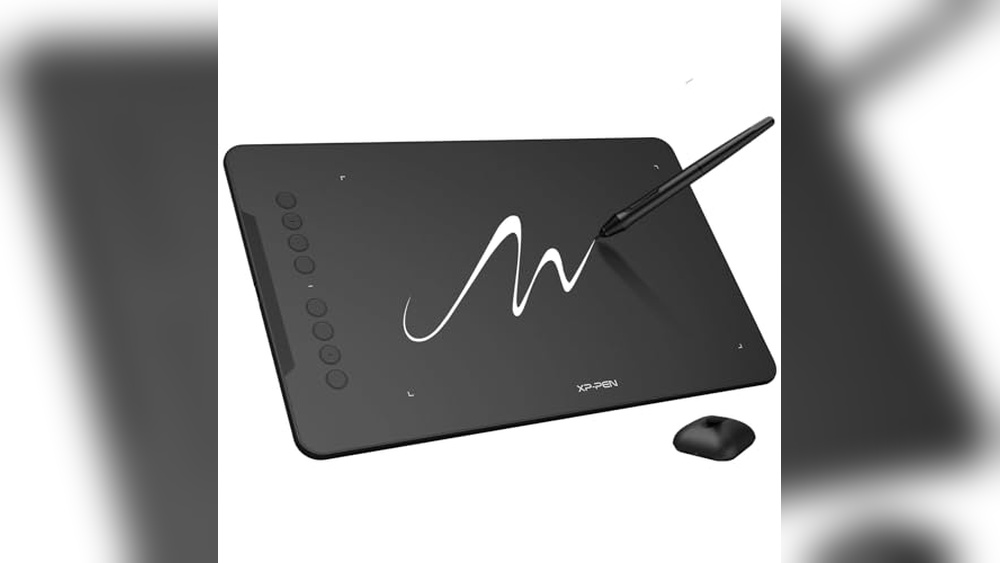
Xp-pen Deco 01 V3 Drawing Tablet
Best Drawing Tablet for Clip Studio Paint users seeking an affordable, beginner-friendly option for digital art or teaching.

The XP-Pen Deco 01 V3 Drawing Tablet is a large, ultra-responsive digital drawing pad designed to make creative work accessible to beginners. It stands out with its 16,384 levels of pressure sensitivity and tilt support, allowing you to achieve natural lines and shading, an advantage when using advanced programs like Clip Studio Paint.
With a battery-free stylus and eight customizable shortcut keys, it simplifies the digital art process without overwhelming new users.
The Deco 01 V3 feels reliable and smooth, offering a generous drawing area so you can sketch and paint comfortably. Setup is straightforward, and its compatibility with Android, Mac, and PC ensures you’re not limited by your device.
The shortcut keys and simple connectivity let you jump into projects without troubleshooting hardware.
- Strengths for Beginners: Large workspace, intuitive setup, and truly natural pen feel.
- Versatile Connectivity: Works seamlessly with laptops, desktops, and Android devices (with proper adapter/software).
- Ambidextrous Design: Customizable keys for right- or left-handed use.
Who Will Appreciate This Drawing Tablet?
If you’re new to digital art, teaching, or want a reliable tablet for Clip Studio Paint without spending a fortune, the XP-Pen Deco 01 V3 is a low-stress choice. Its straightforward design means you won’t waste time on complicated installation or settings, just plug it in and start drawing.
Those who already own a high-end display tablet or require wireless functionality might want to look elsewhere, but for most beginners, this model takes away the confusion and lets you focus on creative growth.
Tip: Spend a few minutes mapping the shortcut keys to your favorite Clip Studio Paint tools for an even smoother workflow. Rest assured, the Deco 01 V3’s pressure sensitivity and ease-of-use will help you build confidence as you explore digital art.
Huion Inspiroy H1060p Drawing Tablet
Best Drawing Tablet for Clip Studio Paint users looking for a reliable, affordable device that fits both beginners and experienced digital artists.

The HUION Inspiroy H1060P is a large graphics tablet designed for digital artists who need precision and comfort. With its 10 x 6. 25 inch working area and battery-free stylus, it solves the problem of frequent charging and gives you the freedom to draw with natural pen-like movements, including tilt sensitivity for varied strokes.
The tablet feels smooth and responsive, making it easy to sketch, paint, or retouch without lag. Its customizable hot keys speed up your workflow, so you can focus more on your art and less on menu navigation.
Setup is straightforward, and it works with Clip Studio Paint and other mainstream drawing software.
- Strengths:
- Large, comfortable drawing area
- Battery-free stylus with tilt support
- Customizable keys for shortcuts
- Wide compatibility (Windows, Mac, Android, Linux/Ubuntu)
- Limitations:
- Not compatible with iPhone/iPad
- Cursor issues with some Samsung Galaxy S devices
- Requires Xorg display server for Ubuntu (no Wayland support)
Who Will Benefit Most?
This tablet is ideal for digital artists, illustrators, and hobbyists who want a dependable device for Clip Studio Paint and similar software. If you need a large workspace and shortcut customization but don’t want to worry about charging your stylus, this is a solid choice.
However, if you primarily use Apple mobile devices or are on a Samsung Galaxy S phone, you might need to look elsewhere.
The H1060P removes the stress of frequent stylus charging and streamlines your creative process with shortcut keys. A practical tip: customize your keys early for your most-used Clip Studio Paint functions, this can save hours over time. You can feel confident in its compatibility and smooth operation, knowing it’s designed for both beginners and experienced users alike.
Xp-pen Artist 12 3rd Gen Drawing Tablet
Best Drawing Tablet for Clip Studio Paint for digital artists, students, and illustrators seeking portable, professional-grade performance across devices.

The XP-Pen Artist 12 3rd Gen is a slim, lightweight drawing tablet with a built-in 11. 9″ screen, designed to give artists a natural, paper-like feel when working digitally. Its standout feature is the dual X-Dial wheels, which let you zoom or adjust brush sizes on the fly, saving you time and keeping your workflow smooth.
Whether you’re sketching in a café or switching classrooms, this tablet’s portable design and customizable keys make it a breeze to use on the go. The anti-glare, full-laminated display keeps your eyes comfortable during long sessions, while the magnetic X4 pen delivers precise, steady strokes for confident linework in Clip Studio Paint or any creative software.
- What stands out:
- Paper-like AG etched glass reduces glare and eye strain
- 16K pressure-level pen with tilt support for pro-grade precision
- Universal compatibility (Windows, macOS, Android, ChromeOS, Linux)
- Factory-calibrated, color-accurate display
- Ultra-portable: just 1.58 lb and slim bezels
- Potential limitations:
- 11.9″ screen may feel small for artists who prefer large canvases
- Requires cable connection; not a standalone tablet
Is This The Right Tablet For You?
If you value portability, precise pen response, and a comfortable drawing experience for long hours in Clip Studio Paint, the XP-Pen Artist 12 3rd Gen is a solid fit. It’s ideal for students, freelancers, and digital artists who move between different computers or platforms and need a tablet that just works, no fuss, no driver headaches.
However, if you need a massive workspace or want a fully wireless, standalone device, this isn’t the best match. For everyone else, the combination of a paper-feel screen, customizable controls, and broad compatibility removes the confusion of setup and lets you focus on your art. My tip: take advantage of the dual dials, they really do speed up repetitive actions and make digital painting less tiring.
Clip Studio Tabmate 2 Shortcut Controller
Best Drawing Tablet for Clip Studio Paint users who want faster workflow shortcuts across iPad, Android, Windows, macOS, Chromebook, iPhone, and Android Phone.

The Clip Studio Tabmate 2 is a handheld shortcut controller designed specifically for Clip Studio Paint, supporting all major platforms including iPad, Android, Windows, macOS, Chromebook, and even smartphones. It solves the hassle of repeatedly reaching for keyboard shortcuts or menus by letting you assign your most-used tools and actions to conveniently placed buttons, dramatically speeding up your creative workflow.
This device feels intuitive and comfortable, fitting naturally in your hand while you draw. With Bluetooth Low Energy 5. 1 and a lightweight, compact build, it’s easy to set up and reliable for long sessions. The included Clip Studio Paint Debut 12-month license is a thoughtful bonus, making it a great entry point or upgrade for digital artists.
- Strengths:
- Works across nearly every device, including iPad and Android
- Customizable button assignments for faster drawing
- Wireless connection with Bluetooth 5.1
- Lightweight and portable (only 0.14 lbs)
- Comes with a 12-month software license
- Limitations:
- Only supports Clip Studio Paint version 3.0 and later (not versions 1 or 2)
- Does not function as a drawing tablet itself; it’s a shortcut controller
Who Will Benefit Most From Tabmate 2?
If you’re a regular Clip Studio Paint user and find yourself slowed down by repetitive shortcut keys or menu navigation, this controller is designed for you. It’s especially helpful for illustrators, comic artists, and anyone who works across multiple devices or platforms.
The Tabmate 2 removes the frustration of interruptions, letting you stay focused on your art and work faster with fewer distractions.
However, if you use older versions of Clip Studio Paint or want an actual drawing tablet, this isn’t the right fit. Consider pairing it with your favorite drawing tablet for the best experience. My tip: take a few minutes to set up your most-used shortcuts when you first connect it, your workflow will feel noticeably smoother. Rest assured, the Tabmate 2 is easy to set up and dependable; just charge, connect, and draw.
Huion Kamvas Pro 16 Drawing Tablet
As the Best Drawing Tablet for Clip Studio Paint, this device is perfect for digital artists and illustrators seeking reliable performance and vibrant visuals.

The HUION Kamvas Pro 16 is a 15. 6-inch pen display drawing tablet designed to offer artists a large, crisp workspace with anti-glare glass and a color-rich, full-laminated screen. With 6 customizable shortcut keys and a responsive touch bar, it streamlines workflow for users who need to frequently zoom, pan, or adjust brush sizes in Clip Studio Paint.
Sketching feels natural thanks to the battery-free pen’s accurate tracking and 60° tilt recognition, making sketching and inking smooth and intuitive. The adjustable stand reduces neck and back strain, so you can focus on your creative process without discomfort or constant readjustments.
- Vibrant color accuracy (120% sRGB) reveals every detail and nuance in your artwork.
- Express keys + touch bar for quick access to your favorite shortcuts.
- Adjustable stand supports ergonomic working angles (20, 60°).
- Compatible with Windows, Mac, and Linux, ideal for diverse setups.
- Slim and lightweight design (2.98 lbs) for a 15.6-inch display.
Who Will Appreciate The Kamvas Pro 16?
If you’re a digital artist, illustrator, or designer who spends hours in Clip Studio Paint, this tablet is designed to support your workflow and reduce physical strain. It’s also a solid pick for students and professionals who want a reliable, color-accurate display without the bulk of larger models.
Those who need a standalone tablet (without a computer) or want a super-portable option might look elsewhere, as this is a pen display that requires a connected device. For everyone else, the Kamvas Pro 16 removes the confusion of complex setup and shortcut management, letting you focus on drawing. Start by customizing the express keys for your favorite tools, you’ll notice the time savings right away. If you’re worried about compatibility or comfort, rest assured: this device is built for long sessions and connects smoothly to your preferred operating system.
Huion Inspiroy H640p Drawing Tablet
Best Drawing Tablet for Clip Studio Paint, perfect for digital artists and illustrators seeking a portable and efficient tool.

The HUION Inspiroy H640P is a compact digital drawing tablet designed for those who need a reliable and portable device for illustration and design. Its battery-free stylus with 8192 levels of pressure sensitivity offers a natural pen-like experience, making it easy to control lines and shading with precision.
The customizable hot keys streamline your workflow, so you can access shortcuts and switch tools quickly.
The H640P feels comfortable and lightweight, ideal for limited desk spaces or on-the-go sketching. It connects seamlessly with Mac, Windows, Linux, and Android devices, ensuring flexibility whether you’re working from home, class, or traveling. The intuitive pen allows for effortless drawing, writing, and even document signing, saving time and reducing wrist strain.
- Strengths:
- Ultra-portable and slim design (only 0.3 inches thick)
- Works across multiple operating systems (except iOS)
- Customizable keys for faster workflow
- Natural pen feel with high pressure sensitivity
- Suitable for both left- and right-handed users
- Limitations:
- Small active area (6×4 inches) may not suit those needing large canvases
- Does not support iOS devices
Is This Tablet Right For You?
If you’re a digital artist, student, or hobbyist looking for a dependable tablet to use with Clip Studio Paint, the HUION Inspiroy H640P is a smart choice. Its portability and ease of setup make it stress-free for anyone who values mobility and efficient workflow.
However, if you require a large drawing surface or want iOS compatibility, you may want to consider other options.
This tablet removes the confusion of choosing between complex models by focusing on essentials: precision, portability, and compatibility. For best results, take a moment to customize the shortcut keys for your favorite tools in Clip Studio Paint, the time saved adds up quickly. Rest assured, the H640P offers a comfortable drawing experience without overwhelming you with unnecessary features.
Xp-pen Artist12 Drawing Tablet
The Best Drawing Tablet for Clip Studio Paint for digital artists, illustrators, and students who want a feature-packed pen display for creative work.

The XP-PEN Artist12 is a compact 11. 6-inch drawing monitor designed for artists who want a vivid, pen-on-screen experience without breaking the bank. With its 1080p HD display and pre-installed anti-reflective screen protector, it solves the problem of limited workspace while offering excellent clarity and color for Clip Studio Paint and other creative software.
The battery-free stylus with 8192 pressure levels feels natural and includes a digital eraser, making it easy to switch between drawing and correcting work.
Day-to-day, using the Artist12 feels intuitive and responsive, whether you’re sketching, painting, or editing photos. The customizable shortcut keys and touch bar streamline your workflow, and the tablet’s compatibility with Windows, Mac, and Linux means you don’t have to worry about switching devices.
It’s lightweight enough for small desks yet sturdy, so you can focus more on creating and less on setup headaches.
- Strengths:
- Excellent compatibility with Clip Studio Paint, Photoshop, and more
- Vivid 11.6″ HD screen with good color accuracy
- Battery-free stylus with eraser and 8 extra nibs
- Six customizable shortcut keys and a programmable touch bar
- Works as an extended display for online teaching or meetings
- Limitations:
- Must be connected to a computer (not standalone)
- Requires HDMI and USB-A ports or appropriate adapters
- Screen size may feel small for large-scale artwork
| Display Size | 11.6 inches (1920 x 1080 HD) |
| Pressure Sensitivity | 8192 levels |
| Weight | ~2 lbs |
| Connection | HDMI + USB-A (adapter may be needed) |
Should You Choose The Xp-pen Artist12?
If you’re a student, hobbyist, or digital artist looking for a reliable and affordable pen display that works seamlessly with Clip Studio Paint, the XP-PEN Artist12 is a strong choice. It’s especially good for those with limited desk space or who want to add a second screen for drawing and online teaching.
The included glove, pen holder, and extra nibs mean you can jump right in without extra purchases.
However, if you need a standalone tablet or a larger display for detailed, high-resolution projects, you might want to look at bigger or more advanced options. Make sure your computer has the right ports or you have the necessary adapters handy. For most users, this tablet removes the stress of compatibility and setup, and a quick tip: register your device for extra software perks and support. Rest assured, XP-PEN’s one-year warranty and lifetime support have you covered if you hit any snags.
Xp-pen Artist 13.3 Pro Drawing Tablet
Best Drawing Tablet for Clip Studio Paint users who want a color-accurate display and a natural drawing experience at their desk.

The XP-Pen Artist 13. 3 Pro is a full-laminated drawing tablet with a vibrant 13. 3-inch display, designed to be connected to your computer or laptop. It’s especially useful if you want the precision of pen-on-screen drawing, with the benefit of an adjustable stand and 8 customizable shortcut keys to streamline your creative workflow.
The Artist 13. 3 Pro stands out for its smooth pen response, natural tilt recognition, and rich color accuracy, making it easy to trust what you see on screen for illustration or comic work in Clip Studio Paint.
The simple dial and shortcut keys help keep your hand on your art, reducing the time spent searching for tools or commands.
- Strengths:
- High color accuracy (123% sRGB) for detailed, vibrant artwork
- Fully laminated display eliminates parallax for a more intuitive drawing feel
- Adjustable stand and red dial enhance comfort and workflow
- Supports tilt and 16,384 pen pressure levels
- Wide software and OS compatibility, including Windows, Mac, Chrome OS, and Linux
- Considerations:
- Must be connected to a computer (not a standalone device)
- Setup requires using the included 3-in-1 cable
Who Will Appreciate This Tablet?
If you want a reliable, color-accurate drawing tablet for Clip Studio Paint that’s comfortable for long sessions, this XP-Pen model will likely fit your needs. It’s a smart choice for hobbyists, students, and pros who don’t need a huge screen but value a portable, desk-friendly size.
If you want a standalone device or don’t have a computer to connect it to, you’ll want to look elsewhere.
The shortcut keys and dial help remove the stress of repetitive tasks, and the solid stand means you won’t be fighting your workspace setup. Registering your tablet can unlock extra software, so don’t skip that step. For artists who want their work to look accurate on screen without fuss, this tablet keeps things simple and dependable.
Ugee M708 Large Drawing Tablet
Best Drawing Tablet for Clip Studio Paint for digital artists and beginners seeking a spacious, affordable, and versatile creative tool.

The UGEE M708 is a spacious 10 x 6 inch drawing tablet designed to make digital artwork more comfortable and intuitive, especially for those using Clip Studio Paint. Its large active area and papery texture provide a familiar, natural feel, while the 16384-level pressure-sensitive stylus allows nuanced line control, key for illustration and design work.
With reliable USB connectivity and compatibility across major operating systems (Windows, Mac, Linux, Android, and Chrome OS), setup is simple even for beginners. The eight customizable shortcut keys streamline your creative process, making frequent tasks like zooming or undoing quick and effortless.
You can focus on your art without worrying about device quirks or lag.
- Strengths:
- Large, comfortable drawing surface for detailed work
- High pressure sensitivity for expressive strokes
- Wide compatibility with devices and art software
- Customizable hotkeys speed up workflow
- Beginner-friendly setup and connectivity
- Limitations:
- No built-in screen, requires a computer or compatible device
- Tablet size may be bulky for very small desks
Is This The Right Tablet For You?
If you’re starting out with Clip Studio Paint or want a generous workspace without spending a fortune, the UGEE M708 is an excellent pick. It removes much of the intimidation from setting up a digital art station, letting you concentrate on drawing instead of troubleshooting.
However, if you’re looking for a pen display (where you draw directly on the screen), you may want to explore other options.
This tablet is a reliable companion for students, hobbyists, and anyone who values expressiveness and comfort in their creative workflow. For best results, keep your workspace clear and use the hotkeys to build speed as you work. The learning curve is gentle, and you’ll likely feel at home after just a few sessions.
Xoppox 10×6 Inch Drawing Tablet
The Best Drawing Tablet for Clip Studio Paint for artists, designers, and online teachers seeking a spacious, reliable, and affordable graphics solution.

The XOPPOX 10×6 Inch Drawing Tablet is a versatile graphics tablet designed to meet the needs of digital artists, illustrators, and remote educators. Its large active area gives you plenty of space for freehand sketching or detailed design work, while the battery-free stylus with 8192 pressure levels ensures precise, natural lines with every stroke.
Using this tablet feels smooth and intuitive, whether you’re working in Clip Studio Paint or jumping between different creative software. The customizable shortcut keys streamline your workflow, making it easy to focus on your art without breaking concentration to hunt for tools or commands.
- Strengths:
- Compatible with Windows, macOS (with permissions), and Android devices
- Battery-free stylus, no charging needed and 20 extra nibs included
- 12 customizable shortcut keys for faster workflow
- Works well with Clip Studio Paint and other major creative software
- Ideal for both drawing and online teaching tasks
- Limitations:
- Not compatible with iPhone, iPad, or Chromebook
- Mac users need to adjust security settings after installation
- Multimedia keys only function in Windows
Should You Choose The Xoppox?
If you want a reliable, spacious tablet for Clip Studio Paint without breaking the bank, the XOPPOX is a smart choice, especially for students, hobbyists, and teachers who need plug-and-play compatibility with their favorite creative tools. You’ll appreciate not worrying about stylus batteries or running out of nibs, and the shortcut keys are a true time-saver for repetitive tasks.
This isn’t the best match if you’re working exclusively on iPad or need a tablet with built-in display. For Mac users, be ready to tweak your security settings after driver installation, but once set up, the workflow is smooth and dependable.
Try mapping your most-used Clip Studio Paint tools to the shortcut keys for maximum comfort and efficiency, and rest easy knowing you can focus on your art, not your hardware.
Xppen Portable Drawing Tablet Stand
Best Drawing Tablet for Clip Studio Paint users seeking ergonomic support and portability for their creative workspace.

The XPPen Portable Drawing Tablet Stand is a lightweight, aluminum riser designed to support drawing tablets and laptops from 10 to 15. 6 inches. It solves the common problem of finding a stable, ergonomic angle for digital artists, and its anti-slip silicone pads keep your device secure as you work.
The stand feels sturdy yet easy to carry with its included storage bag. Whether you’re sketching at your desk or moving between locations, setup is quick and it reliably keeps your workspace organized and comfortable, helping you focus on your art instead of device placement.
- Strengths:
- Universal compatibility with major laptop and tablet brands
- Very lightweight (0.8 lbs) and travel-friendly
- Improved cooling for prolonged drawing sessions
- Specifically designed for XPPen Artist series displays
- Potential Limitations:
- Not suited for tablets smaller than 10″ or larger than 15.6″
- No height adjustment beyond preset angles
| Feature | Benefit |
|---|---|
| Aluminum Build | Lightweight, durable, and cools device |
| Anti-slip Pads | Secure and stable for confident drawing |
| Portable Design | Easy to take anywhere, keeps workflow flexible |
Is This Stand Right For You?
If you regularly use Clip Studio Paint with a drawing tablet or laptop and want a reliable stand that’s easy to carry, the XPPen Portable Drawing Tablet Stand is a smart, hassle-free choice. It takes the strain out of long drawing sessions, especially for artists who value portability and compatibility across devices.
Those using tablets outside the 10, 15.6″ range or needing extensive height adjustments may want to look elsewhere. For most creators, though, this stand removes the worry of device slipping or overheating and helps you keep your focus on the art, not the setup. Tip: For best results, pair it with the XPPen Artist series for seamless fit and stability. Rest assured, it’s a practical addition that quietly supports your workflow wherever inspiration strikes.
Huion Adjustable Desk Stand For Tablets
The Best Drawing Tablet for Clip Studio Paint users who need ergonomic comfort and portability for their digital art sessions.

The HUION Adjustable Desk Stand is a compact, multi-angle stand designed for artists who use drawing monitors or tablets between 10 and 15. 6 inches. Its main advantage is the adjustable ergonomic tilt, which helps reduce neck and shoulder strain during long drawing sessions, a crucial factor for digital artists working in Clip Studio Paint.
Using this stand, you can quickly switch between comfortable drawing angles, and its lightweight, slim design makes it easy to carry to classes or workspaces. The sturdy aluminum build, anti-slip mats, and a hidden stopper provide stability and confidence, so you can focus on your art without worrying about your tablet slipping.
- Strengths:
- Wide compatibility with major drawing tablets and laptops up to 15.6″
- Adjustable from 20° to 60° for optimal drawing comfort
- Ultra-portable, folds down to 7.3mm thick
- Ventilated to help prevent device overheating
- Secure anti-slip design for stability
- Limitations:
- No integrated cable management
- Best suited for tablets, not ideal for large, heavy laptops
Is This The Right Stand For You?
If you work with Clip Studio Paint on a compatible drawing tablet and crave a simple way to improve your posture and workflow, this stand is a practical choice. It takes the guesswork out of finding a comfortable angle and is easy to pack for travel or shared studio spaces.
Those with heavier or larger devices may need a more robust stand, but for most digital artists, this model removes the stress of tablet slippage and overheating. For best results, pair it with a drawing glove for smoother hand movement and less friction.
Rest assured, setting it up is quick and intuitive, so you can get back to drawing in no time.
How To Weigh Your Options When Picking A Drawing Tablet For Clip Studio Paint
Consider how you plan to use your tablet, at a desk, on the go, or both. Decide if you need a built-in screen or are comfortable drawing on a blank surface while looking at your monitor. Balance your preference for shortcut keys and dials with how much desk space you have.
Think about compatibility with your operating system and software. Choose what best fits your workflow and comfort, not just the highest numbers.
Who May Not Find The Right Fit In A Drawing Tablet
- If you expect a tablet to fully replace a standalone computer, you may be disappointed.
- Those who do not want to install drivers or troubleshoot software conflicts may get frustrated.
- If you rarely draw or edit images, a tablet might add unneeded complexity.
- Tablets are not ideal for those who need extreme portability without any cables or setup time.
- Anyone seeking a device for heavy 3D modeling or video editing should look elsewhere.
Best Drawing Tablet For Clip Studio Paint: Questions Buyers Often Ask
Do All Drawing Tablets Work Equally Well With Clip Studio Paint?
Most modern drawing tablets are compatible, but the experience can differ by brand and driver support. Check that your chosen tablet has stable drivers for your device and operating system.
Is A Screen Tablet Always Better For Clip Studio Paint?
Screen tablets offer a more direct drawing experience but may be heavier and more expensive. Non-screen tablets can be just as precise if you are comfortable drawing while looking at your monitor.
Will Shortcut Keys Make A Big Difference In Clip Studio Paint?
Shortcut keys can speed up your workflow if you use them. If you prefer using a keyboard, extra keys on the tablet might not add much value.
Can I Use A Drawing Tablet With Clip Studio Paint On My Phone Or Tablet?
Some tablets support Android devices, but not all features may be available. Always check for compatibility with your specific device and operating system before buying.
What If My Drawing Tablet Feels Laggy Or Unresponsive In Clip Studio Paint?
This can result from outdated drivers, software settings, or insufficient computer hardware. Try updating drivers and adjusting performance settings in both the tablet and Clip Studio Paint.
Is Pen Pressure Important For Clip Studio Paint Users?
Pen pressure allows for more natural lines and shading but is not required for everyone. Artists who do a lot of inking or painting will benefit most from higher pressure sensitivity.
Should I Get A Dedicated Stand Or Accessory For My Drawing Tablet?
A stand can improve comfort and posture, especially for longer sessions. It’s not essential for everyone but can be helpful if you draw for hours at a time.
Trusting Your Choice In Drawing Tablets For Clip Studio Paint
There are many ways to work creatively, and the best drawing tablet is the one that fits your space, style, and software needs. Each option has strengths and trade-offs, it’s normal to weigh comfort, features, and compatibility before making your decision.
Whatever you choose, remember that creative tools are meant to support your process, not complicate it. Trust your preferences and move forward with what feels right for you.