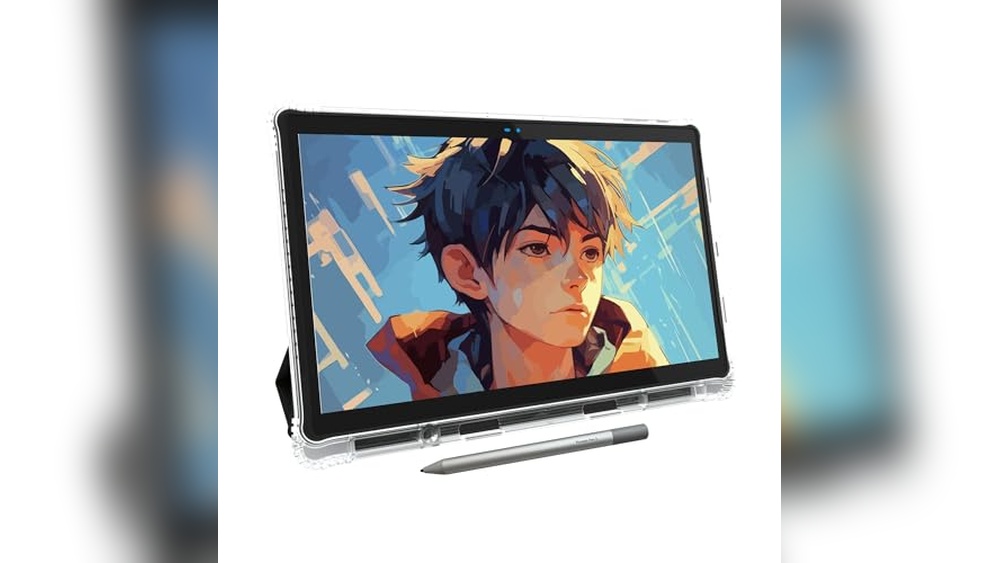
Drawing on the go is easier than ever. But picking the right portable drawing tablet can feel overwhelming.
Maybe you want to sketch during travel, work on digital art at a café, or need something for a busy student life. The options are wide. Some tablets work without a computer. Others need a laptop to run. Screen sizes and pen sensitivity vary.
Some are light and basic, others offer more features and power but cost more or add complexity. It’s easy to get lost in technical details, not knowing which will fit your habits and budget.
This guide will help you see the differences and trade-offs, so you can find the portable drawing tablet that matches your style and needs.
The products below show a range of choices, standalone tablets, ones that connect to your computer, big screens, small screens, entry-level, and advanced models. Each meets a different set of needs, so you can decide what works for you.
Picassotab X11 Standalone Drawing Tablet
The Best Portable Drawing Tablet for artists and beginners who want to create anywhere without a computer.

The PicassoTab X11 is a compact, standalone drawing tablet designed for artists who need flexibility and portability. Unlike most graphic tablets, it doesn’t require a computer, letting you sketch, paint, or animate wherever inspiration strikes. The included 11″ laminated 2K display offers a paper-like feel, making your digital artwork look and feel natural.
Using this tablet feels freeing, no cords, no setup, and no extra gear to carry. Open it up, launch your favorite drawing app (like Concepts with Lifetime PRO), and start creating. It’s especially reliable for beginners, thanks to the step-by-step Artixo tutorials, and the pressure-sensitive stylus delivers smooth, precise control for every stroke.
- Strengths:
- Truly portable, no computer needed
- Paper-like, low-glare 2K screen
- Comes with PRO drawing apps and tutorials
- Complete accessory kit included
- Good for art, animation, and general use
- Limitations:
- Screen size (11″) may feel small for professionals needing a larger canvas
- Performance is excellent for art, but not meant for demanding 3D or high-end gaming
Is It Right For You?
If you want a drawing tablet you can use anywhere, on the couch, in a café, or while traveling, the PicassoTab X11 is a stress-free choice. Beginners will especially appreciate the included tutorials and ready-to-go drawing apps. However, if you need a massive screen or plan to do heavy-duty graphic work, you may want to compare with larger, studio-based options.
This tablet removes the confusion of cables, drivers, and complex setups. Just charge, power on, and create. One tip: keep the stylus and glove in the included case so you’re always ready to draw. You can feel confident that learning and creating on the go will be smooth and straightforward with this device.
Xp-pen Artist 13.3 Pro Drawing Tablet
As one of the Best Portable Drawing Tablets, this model is ideal for digital artists and students who want a reliable, high-quality drawing experience on the go.

The XP-Pen Artist 13. 3 Pro Drawing Tablet offers a vibrant, fully-laminated display designed for creators who need color accuracy and a responsive drawing experience. Its 13. 3-inch screen and adjustable stand make it a practical choice for anyone who wants a portable setup without sacrificing workspace comfort, and the intuitive red dial streamlines creative workflows for maximum efficiency.
The tablet feels natural and smooth, with tilt support that lets you shade and sketch as you would on paper. The customizable shortcut keys make repetitive tasks faster, and the compatibility with major operating systems and creative software means you can plug in and start working without a steep learning curve.
- Strengths:
- Excellent color accuracy (123% sRGB) for vivid, lifelike artwork
- Adjustable stand and slim design enhance portability
- 8 customizable shortcut keys and a responsive dial for workflow efficiency
- Supports tilt function for natural shading and line transitions
- Wide compatibility with Windows, Mac, Chrome OS, and Linux
- Limitations:
- Requires connection to a computer (not standalone)
- Initial setup can be intimidating for first-time users
Who Will Appreciate This Tablet?
If you’re a student, hobbyist, or professional looking for a portable and reliable drawing tablet that doesn’t compromise on display quality, this XP-Pen model fits the bill. It’s especially suitable for those who already have a laptop or desktop and want to elevate their digital art setup.
However, if you need a tablet that works entirely on its own (without a computer), you may want to consider a standalone device.
With its intuitive controls and excellent color fidelity, this tablet helps reduce the frustration of color mismatches and awkward hand positions. For best results, take a few minutes to customize the shortcut keys to your favorite tools, it can save a lot of time in the long run.
Rest assured, the included accessories and broad software compatibility make it easy to integrate into your current creative workflow.
Xppen Artist 12 3rd Portable Tablet
The Best Portable Drawing Tablet for digital artists and students who need a lightweight, reliable sketching device on the go.

The XPPen Artist 12 3rd is a compact drawing tablet designed for portability, making it ideal for artists, students, and anyone needing a creative tool that travels easily. With its lightweight build and 11. 9-inch screen, the X-Dial wheels enable quick brush and canvas adjustments, streamlining workflow and saving valuable time.
Its AG etched glass display mimics the feel of paper, reduces glare, and resists fingerprints, so you can comfortably sketch for hours, even in bright environments. The magnetic X4 pen offers precise control, making detailed work smooth and intuitive, whether you’re sketching in a café or editing designs between classes.
- Strengths:
- Ultra-portable and lightweight (1.58 lb)
- Paper-feel screen reduces eye fatigue
- Dual X-Dial wheels and 8 customizable keys
- High color accuracy (99% sRGB, ΔE<1.5)
- Magnetic pen with 16,384 pressure levels and tilt support
- Universal compatibility across Windows, macOS, Android, ChromeOS, Linux
- Limitations:
- Screen size may feel small for users accustomed to larger tablets
- No built-in stand (external stand recommended for long sessions)
| Feature | XPPen Artist 12 3rd | Typical Portable Tablet |
|---|---|---|
| Weight | 1.58 lb | 2, 3 lb |
| Pressure Levels | 16,384 | 8,192 |
| Color Accuracy | 99% sRGB | ~85% sRGB |
Who Will Benefit Most
If you need a portable drawing tablet that doesn’t compromise on precision or color, the XPPen Artist 12 3rd is a smart choice. It’s perfect for digital artists, students, and professionals who move between spaces and value reliable compatibility with multiple devices.
Those who want a larger screen or built-in stand may prefer other models, but for sketching, note-taking, or editing on the go, this tablet removes the usual stress of carrying heavy gear.
You’ll appreciate the fast workflow enabled by the dial wheels and customizable keys, especially when working under tight deadlines or in varied environments. My tip: pair it with a lightweight stand for longer sessions. With factory calibration and universal support, you can trust your colors and lines to stay consistent wherever you work.
Wacom Intuos Small Bluetooth Drawing Tablet
Best Portable Drawing Tablet for students, teachers, and creators seeking a lightweight, reliable device for digital art and note-taking.

The Wacom Intuos Small Bluetooth Drawing Tablet is a compact, wireless graphics tablet designed for creative work on the go. Its battery-free pen technology delivers a natural drawing experience, making it ideal for digital artists, students, and educators who need a portable solution for sketching, designing, or annotating documents.
With seamless Bluetooth connectivity, this tablet removes the hassle of tangled cables and lets you work anywhere with ease.
In everyday use, the Intuos feels intuitive and quick to set up, with customizable ExpressKeys that simplify shortcuts and workflow. Whether you’re sketching at a coffee shop or marking up assignments in class, its lightweight design and broad compatibility (Chromebook, Mac OS, Android, Windows) help you stay productive and creative without extra fuss.
The pen response is reliable.
- Strengths:
- Ultra-portable and lightweight (just over half a pound)
- Battery-free pen feels natural and precise
- Works wirelessly via Bluetooth or USB
- Compatible with all major operating systems
- Software and online training included after registration
- Limitations:
- Small drawing area, best for sketches, notes, or editing
- No display screen; you draw on the tablet, view results on your device
Is This Tablet Right For You?
If you need a portable, dependable drawing tablet for school, creative projects, or teaching, the Wacom Intuos Small is an excellent choice. Its light weight and wireless options are perfect for those who move between spaces or work on different devices.
Beginners and digital artists alike will appreciate the easy setup and the included creative software.
If you prefer a larger drawing surface or a built-in screen, you may want to look elsewhere. For travel, classroom, or casual digital art, this tablet removes the stress of carrying bulky gear and simplifies your creative routine. A practical tip: take advantage of the customizable ExpressKeys to speed up your favorite tasks. You can trust Wacom’s decades of experience for a reliable, frustration-free drawing experience.
Picassotab A10 Standalone Drawing Tablet
The Best Portable Drawing Tablet for students, beginners, and digital artists seeking a standalone creative solution without needing a computer.

The PicassoTab A10 by Simbans is a compact, fully standalone 10-inch drawing tablet designed for anyone who wants to create without being tethered to a computer. Its biggest advantage is simplicity: beginners and students can start drawing, note-taking, or animating immediately, thanks to pre-installed pro art apps and an included stylus. The anti-glare laminated display and pressure-sensitive pen make digital art feel natural, even for first-timers.
Using the A10 feels intuitive, just switch it on, pick up the stylus, and you’re ready to sketch wherever inspiration strikes, whether at a café, in class, or on the go. All essential accessories are included, so there’s no need for extra purchases or complicated setups.
The lifetime tutorials and built-in guides shorten the learning curve for new users.
- Strengths:
- No computer required, true portability
- Laminated, anti-glare 10” screen for clear, comfortable drawing
- Lifetime access to pro drawing apps (no subscriptions)
- Step-by-step tutorials and drawing guides for beginners
- Full accessory kit included (case, glove, pen, screen protector, charger)
- Consider:
- Android-based: not compatible with desktop-only apps (like full Photoshop)
- 10-inch size is portable, but may feel small for advanced, large-format work
Who Will Love The Picassotab A10?
If you’re a student, beginner, or hobbyist who wants a fuss-free way to draw digitally, the A10 lets you skip the complex setups and subscriptions. It’s ideal for people who value portability, want to practice new skills, or need a reliable tool for creative projects anywhere.
Advanced professionals needing desktop-level software might outgrow its Android environment, but for most learners and everyday artists, it removes the stress of extra purchases and compatibility worries. My tip: try the built-in tutorials early, they really speed up your progress and help you get comfortable with digital drawing. Rest assured, everything you need is in the box, so you can focus on creating, not troubleshooting.
Huion H640p Portable Drawing Tablet
Best Portable Drawing Tablet for students, hobbyists, and professionals seeking a compact solution for digital art, note-taking, or design on the go.

The HUION H640P is a slim, lightweight drawing tablet designed to fit easily in your bag or on a small desk. Its battery-free stylus and customizable hot keys make it a practical choice for anyone looking to streamline their digital workflow, whether drawing, annotating documents, or teaching remotely.
The H640P feels natural and comfortable thanks to its pen-like stylus and responsive surface. Switching between pen and eraser is instant, and the tablet’s compact size means you can set it up anywhere, at home, in class, or on the road, without fuss or clutter.
- Strengths:
- Extremely portable and lightweight (just 0.6 lbs).
- Works with Mac, Windows, Linux, and Android devices.
- Battery-free stylus with 8192 pressure levels for precise control.
- 6 customizable hot keys for faster workflow.
- Suitable for left-handed users.
- Limitations:
- Does not support iOS devices.
- Small drawing area may not suit those who prefer larger canvases.
Is The Huion H640p Right For You?
If you need a portable drawing tablet for travel, school, or a tight workspace, this model is a strong fit. It’s ideal for digital artists, note-takers, and teachers who want something reliable and easy to carry. However, if you prefer working on larger surfaces or require iOS compatibility, you might want to look elsewhere.
Using the H640P removes the stress of complex setup and the discomfort of mouse-based drawing; you’ll feel confident knowing it’s compatible with most computers and Android devices. For best results, take a few minutes to personalize the hot keys to your favorite shortcuts, it’ll save you time every session.
And, whether you’re sketching or signing documents, the battery-free stylus means you never have to worry about charging mid-task.
Huion Kamvas 13 Drawing Tablet
The Best Portable Drawing Tablet for digital artists and illustrators seeking a compact, high-quality screen for professional-level work.

The HUION Kamvas 13 (Gen 3) is a portable drawing tablet with a vibrant 13. 3-inch fully laminated screen, designed for creators who need professional color accuracy and responsive pen input. Its anti-sparkle canvas glass reduces glare, making it comfortable to use for long sessions and helping you focus on your artwork without distractions.
In practice, drawing on the Kamvas 13 feels fluid and natural thanks to the advanced PenTech 4. 0 stylus with 16384 pressure levels. The tablet’s lightweight build (just under 2 pounds) makes it easy to carry and set up anywhere, whether you’re working from home or traveling.
Setup is straightforward, and you can confidently rely on its color calibration for consistent results.
- Strengths:
- Exceptional color accuracy (Avg. ΔE<1.5, 99% sRGB coverage)
- Responsive pen with high pressure sensitivity and customizable buttons
- Anti-glare screen for comfortable extended use
- Portable and lightweight for easy mobility
- Limitations:
- Must be connected to a computer or laptop (not standalone)
Who Will Benefit Most
The Kamvas 13 is ideal for digital artists, illustrators, and designers who need portability without sacrificing color accuracy or pen performance. If you already work from a laptop or desktop and want to upgrade your drawing experience, this tablet provides a reliable, professional solution.
Those seeking a fully standalone device may want to look elsewhere, as this model requires connection to another machine. However, if you value a stress-free setup and consistent results, the Kamvas 13 removes the guesswork, just connect, calibrate, and start drawing.
As a tip, keep your workspace tidy and the screen clean to fully enjoy the anti-glare benefits.
Rest assured, this tablet is engineered for creative professionals, so you can focus on your work rather than troubleshooting hardware.
Picassotab X14 Portable Drawing Tablet
Best Portable Drawing Tablet for digital artists and beginners who want a full-featured, standalone device with a large canvas.

The PicassoTab X14 is a true standalone drawing tablet, meaning you can sketch, paint, and animate without connecting to a computer. Its expansive 14-inch laminated screen provides a comfortable, glare-free workspace and comes loaded with pro drawing apps and tutorials, making it easy to start creating immediately.
Using the X14 feels natural and freeing, just pick it up and draw anywhere, from the couch to the coffee shop. The bundled stylus is pressure sensitive and accurate, and the included tutorials help you quickly build confidence, even if you’re new to digital art.
Everything needed to start drawing digitally is in the box, so there’s no hunting for extra software or accessories.
- Strengths:
- Standalone operation, no computer required
- Large, laminated display reduces glare and parallax
- Lifetime access to pro drawing apps and step-by-step tutorials
- Portable yet spacious design for on-the-go creativity
- Comes with a full accessory kit
- Limitations:
- Heavier than smaller tablets (about 5 lbs)
- Not suitable for advanced 3D modeling or ultra-high-end professional workflows
Who Will Love The Picassotab X14?
This tablet is ideal for artists, students, and hobbyists who want a simple, all-in-one digital drawing experience without the hassle of connecting external devices. It’s especially good for beginners who appreciate clear, guided tutorials and a large, forgiving workspace.
If you need ultra-light portability or advanced desktop-level performance, you might prefer a more traditional graphics tablet or a higher-end model. For most creative tasks, the X14 removes technical obstacles and lets you focus on art, no confusing setup, just pick up and go. A practical tip: use the bundled apps to experiment with animation or painting styles right away, and don’t worry about making mistakes, the tutorials have your back.
Overall, the PicassoTab X14 is a dependable, easy-to-use solution for anyone seeking a portable drawing tablet that’s ready for creativity wherever you are.
Xp-pen Deco 01 V3 Drawing Tablet
Best Portable Drawing Tablet for beginners and digital artists seeking an affordable, easy-to-use device for creative work on almost any system.

The XP-Pen Deco 01 V3 Drawing Tablet is a slim, large-surface graphics tablet designed to make digital drawing and note-taking accessible for everyone. Its standout feature is the impressive 16,384 levels of stylus pressure sensitivity, which lets you create natural lines and shading without worrying about charging your pen, making it especially friendly for new users.
This tablet feels intuitive and reliable, whether you’re sketching, editing, or teaching online. Setup is fast thanks to universal compatibility with Windows, Mac, Android, and Chrome, and the eight customizable shortcut keys let you personalize your workflow so you can focus on creating instead of fumbling for controls.
- Strengths:
- Extra-large 10 x 6.25 inch drawing area for comfortable hand movement
- Battery-free stylus with high pressure sensitivity for expressive drawing
- Supports both left- and right-handed users with customizable hotkeys
- Easy to connect with USB-C and adapters for broad device compatibility
- Works with Android, PC, Mac, and Chrome devices
- Limitations:
- No built-in screen, requires a separate display
- Designed primarily for beginners and intermediate users, not advanced professionals
Is This The Right Tablet For You?
If you’re just starting out with digital art, teaching, or want a versatile tablet for both work and play, the XP-Pen Deco 01 V3 makes the learning curve gentle and the experience frustration-free. Its simple setup and no-fuss stylus let you focus on your art, not technical hiccups.
Those who need a built-in screen or advanced features for professional illustration might want to look elsewhere, but for most students, hobbyists, or teachers, this tablet keeps things easy and affordable.
One tip: Take time to customize the shortcut keys for your favorite actions. This small step can make your creative sessions much smoother. And if you ever feel overwhelmed, remember, the Deco 01 V3 is built to simplify digital art, not complicate it.
Wacom Movinkpad 11 Portable Drawing Tablet
Best Portable Drawing Tablet for digital artists and illustrators who want an all-in-one, computer-free drawing solution.

The Wacom MovinkPad 11 is a self-contained Android drawing tablet designed for creators who want a lightweight, portable device without the need for a separate computer. Its unique Quick Draw feature means you can instantly start sketching or note-taking the moment inspiration strikes, just like opening a classic sketchbook, no extra steps, no waiting for programs to load.
Using the MovinkPad 11 feels intuitive and natural, with the matte etched glass providing a satisfying, paper-like drawing experience that reduces glare and fingerprint distractions. Its slim profile and light weight (only 1. 3 lbs) make it truly easy to carry, so you’re always ready to capture ideas on the go, whether at a café, park, or during your commute.
- Why it stands out:
- No computer required, draw anywhere, anytime
- Instant sketching with Quick Draw and Wacom Canvas app
- Paper-like, anti-glare matte screen for comfortable creativity
- Supports multiple popular pens for personal preference
- Includes 2 years of CLIP STUDIO PAINT DEBUT and app trials
- Consider:
- 11-inch size is best for portability, but may feel small for those used to large desktop tablets
- Runs Android, check app compatibility if you use desktop-only tools
Is The Movinkpad 11 Right For You?
If you want the freedom to create digitally anywhere without dragging along a laptop, the MovinkPad 11 is a calm, capable companion. It’s ideal for artists, students, and note-takers who value portability and simplicity over having a massive screen or full desktop software.
If you depend on Windows or Mac desktop art programs, or need a huge drawing area, you might want to consider a traditional pen display instead. But for most mobile creators, the MovinkPad 11 removes the stress of missing ideas and the hassle of complicated setups. My tip: keep it charged and in your bag, its instant-on feature will quickly become your favorite way to capture creativity whenever and wherever it happens.
Xppen Magic Drawing Pad 12.2″
The Best Portable Drawing Tablet for digital artists and creators who want a standalone, computer-free drawing experience.

The XPPen Magic Drawing Pad 12. 2″ is a standalone drawing tablet designed for artists who want maximum portability without needing to connect to a computer. Its industry-leading 16K pressure levels in the X3 Pro Slim Stylus set it apart, offering exceptionally nuanced control for detailed artwork and sketches.
Using this tablet feels natural, thanks to the paper-like screen and a TÜV Rheinland certified display that’s easy on the eyes, even during long creative sessions. The Android 14 system means you can download your favorite drawing apps directly, making it a reliable and convenient tool whether you’re at your desk, in a coffee shop, or on the go.
- Why choose it?
- No computer required, draw anywhere, anytime.
- 16,384 pressure levels for professional-grade precision.
- Lightweight (just 1.3 lbs) and ultra-slim design for true portability.
- Eye comfort features help minimize fatigue during long hours.
- 256GB storage, expandable to 1TB for handling large projects.
- Consider before buying:
- Runs on Android, not Windows or iOS, check app compatibility.
- No bundled desktop drawing software.
Is This The Right Tablet For You?
If you want a digital sketchpad that doesn’t tie you to a desk or laptop, this tablet is an excellent fit. It’s ideal for students, traveling artists, or anyone who values simplicity and portability without sacrificing drawing quality. If you work exclusively in desktop environments or need advanced desktop software, you might prefer a different device.
The Magic Drawing Pad removes the stress of cables and compatibility worries, letting you focus purely on your art. Before you start, make sure your favorite apps are available on Android. With its intuitive feel and generous storage, you can confidently take your creativity wherever inspiration strikes.
Frunsi Rubenstab T11 Pro Drawing Tablet
The Best Portable Drawing Tablet for artists, beginners, and students who want a hassle-free, standalone digital art experience.

The Frunsi RubensTab T11 Pro is a completely standalone drawing tablet that lets you sketch and create without needing a computer. With its 10. 1-inch Full HD screen and a powerful octa-core processor, it solves the problem of portability for digital artists, making it easy to work anywhere.
The pressure-sensitive pen, included stand, and pre-installed drawing apps are ideal for those who want an all-in-one art solution.
Using this tablet feels freeing, just turn it on and start drawing, whether you’re on the go or at your desk. The built-in battery gives up to five hours of continuous use, so you don’t have to worry about plugging in mid-session.
The intuitive interface and responsive pen help you focus on your creativity, not on complicated setup or tech hassles.
- Strengths:
- Works without a computer, fully independent.
- Vibrant 10.1-inch FHD screen for detailed artwork.
- Pressure-sensitive pen (no battery required) for natural strokes.
- Pre-installed drawing apps and tutorials for easy start.
- Portable, lightweight design with adjustable stand case.
- Up to 5 hours of battery life; USB-C charging.
- Limitations:
- Battery life may not cover an entire day for heavy users.
- Screen size is compact, best for sketches, not large canvases.
Who Will Benefit, and Who Won’t
If you’re an artist, beginner, or student who wants a portable digital drawing solution that works anywhere, the Frunsi RubensTab T11 Pro is a reliable pick. It removes the stress of needing a computer, complicated setup, or external power, just grab it and draw.
This tablet is also handy for note-taking during meetings or lectures, making it versatile for creative and practical use.
Those needing a larger screen for intricate detail or extended battery for marathon sessions might want to consider alternatives. But for everyday creative work, travel, or classroom tasks, this tablet keeps things simple and worry-free. One tip: take advantage of the pre-installed tutorials to get comfortable quickly.
Relax knowing you won’t be tied to a desk or tangled in cables. The RubensTab T11 Pro gives you freedom to create, wherever inspiration strikes.
How To Decide Which Portable Drawing Tablet Is Right For You
Think about whether you need a standalone tablet or one that connects to a computer. Consider how often you’ll create away from your desk versus at home. Screen size impacts comfort and portability. Pen sensitivity and app support matter, but so does ease of use.
Trade-offs between price, flexibility, and device compatibility are key.
Common Mistakes And Who Should Avoid Portable Drawing Tablets
- Assuming all tablets work without a computer, many require a connection.
- Expecting professional color accuracy on entry-level models.
- Buying a large tablet without considering travel and storage needs.
- Overlooking software compatibility for your preferred apps.
- Choosing advanced features when basic drawing is all you need.
Frequently Asked Questions About Best Portable Drawing Tablet Choices
Can I Use A Portable Drawing Tablet Without A Computer?
Some models work independently, while others need a computer connection. Always check the product details before buying.
What Screen Size Is Best For Travel?
Smaller tablets are easier to carry but may feel cramped for detailed work. Larger screens offer more space but can be bulky.
Are Stylus Pens Interchangeable Between Brands?
Most stylus pens are brand-specific and not cross-compatible. Using the wrong pen can limit features or cause malfunction.
Will My Favorite Drawing Apps Work On All Tablets?
App compatibility depends on the operating system and hardware. Double-check which apps are supported before deciding.
Is Pressure Sensitivity Important For Beginners?
It helps with line variation but is not essential for simple sketching. Beginners can start with basic sensitivity and upgrade later.
Do I Need To Buy Extra Accessories For Portable Drawing Tablets?
Some tablets include essential accessories, while others may require separate purchases. Review what’s included to avoid surprise costs.
How Long Do Portable Drawing Tablets Last On Battery?
Battery life varies, with most standalone tablets lasting several hours. Consider your typical session length and charging options.
Settling On Your Best Portable Drawing Tablet Choice
Choosing a portable drawing tablet is not about finding the “perfect” device. It’s about matching your routine and creative needs with a tool that fits comfortably and reliably. The right choice feels natural, not forced.
Trust your priorities and take your time. No decision is permanent, and your creative journey will always evolve. You’ll know when a tablet feels right for you.