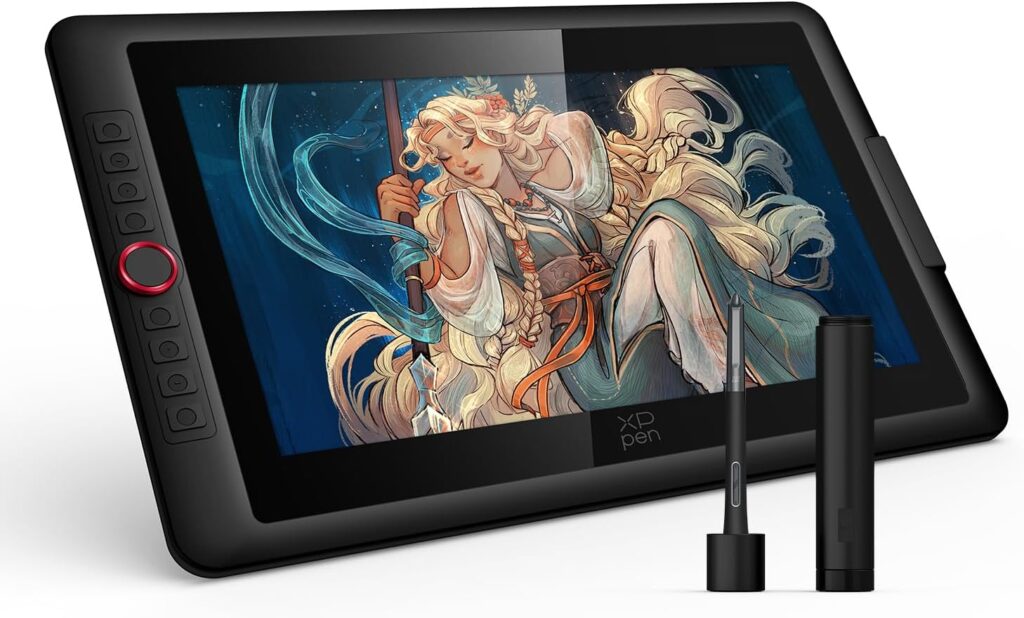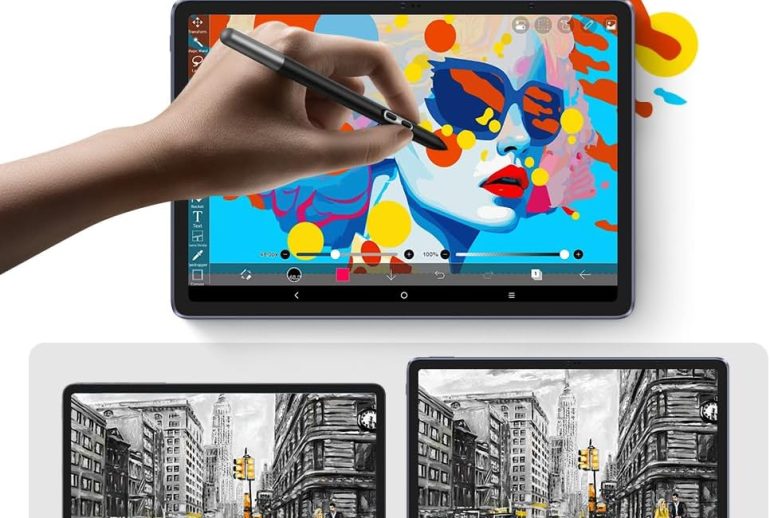
If you’ve been dreaming about a drawing tablet that doesn’t chain you to a desk or a computer, the XPPen Magic Drawing Pad might just end your search. This 12.2-inch standalone tablet runs Android 14, packs 16,384 pressure levels with the X3 Pro Slim Stylus, and weighs a mere 590 grams. It’s basically a portable art studio that slips into your backpack.
I’ve spent considerable time testing the Magic Drawing Pad across various use cases — from quick sketching sessions outdoors to extended illustration work at home. In this hands-on review, I’ll cover every aspect that matters to digital artists: display quality, pen performance, software compatibility, battery life, and how it stacks up against alternatives like the iPad and Samsung Galaxy Tab.
Whether you’re a beginner exploring digital art for the first time or an experienced illustrator looking for a portable companion to your desktop setup, this review will help you decide if the XPPen Magic Drawing Pad deserves a spot in your creative toolkit.
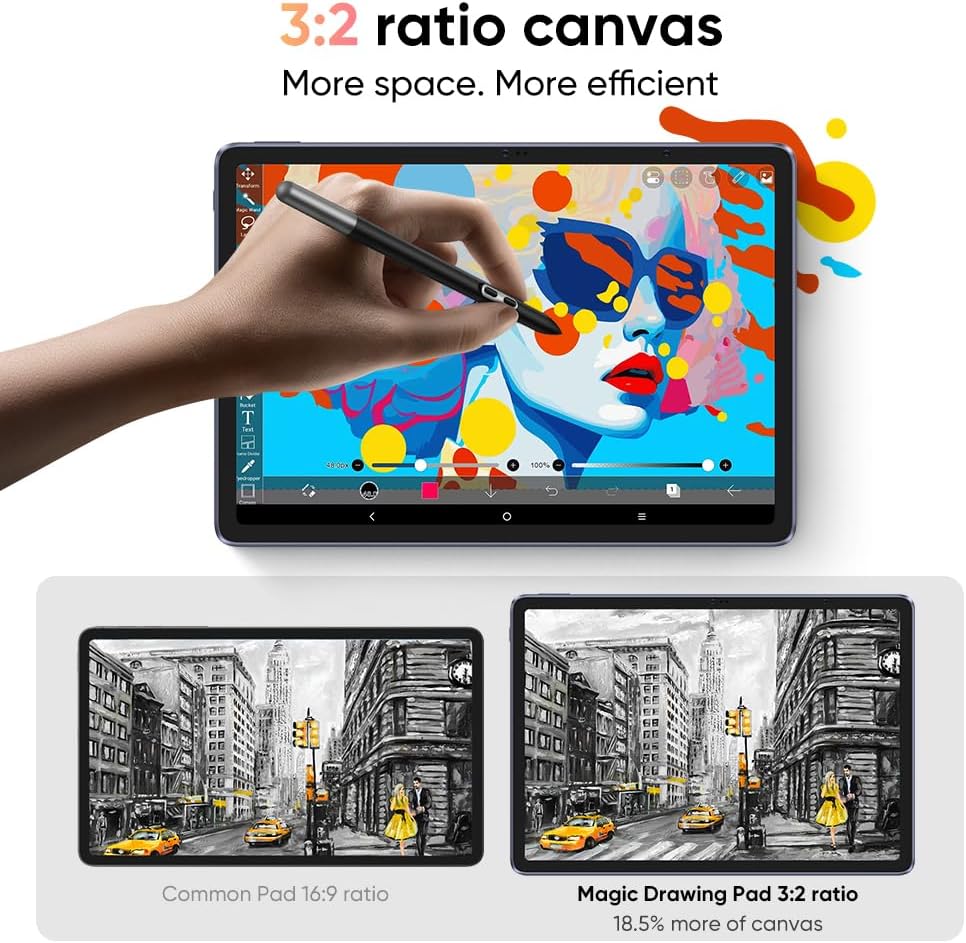
XPPen Magic Drawing Pad 12.2″ Standalone Drawing Tablet
- 12.2-inch IPS display with 2160×1440 resolution and 3:2 aspect ratio
- X3 Pro Slim Stylus with 16,384 pressure levels — no charging needed
- Standalone Android 14 — no computer required
- AG-etched paper-like screen with TÜV Rheinland eye protection
- 8GB RAM + 256GB storage (expandable to 512GB via microSD)
- 8,000mAh battery — up to 13 hours of continuous use
Who Is the XPPen Magic Drawing Pad For?
The Magic Drawing Pad fills a very specific gap in the drawing tablet market. Unlike traditional pen displays from Wacom or even XPPen’s own Artist series that require a computer connection, this tablet operates independently. That fundamental difference shapes who should consider buying it.
This tablet is ideal for digital art beginners who want to start creating without investing in both a tablet and a laptop. Our roundup of drawing tablets that don’t need a computer covers more options. It’s equally suited for hobbyist artists who sketch for fun and want portability, art students who need a mobile drawing device for classes, and experienced artists looking for a secondary device for on-the-go work.
If you primarily need a tablet for professional illustration work and already have a powerful desktop, a traditional pen display might still serve you better. If you’re still weighing options, our guide on how to choose a drawing tablet covers the key factors. But if portability and independence from a computer are priorities, the Magic Drawing Pad becomes compelling.
Display and Screen Quality
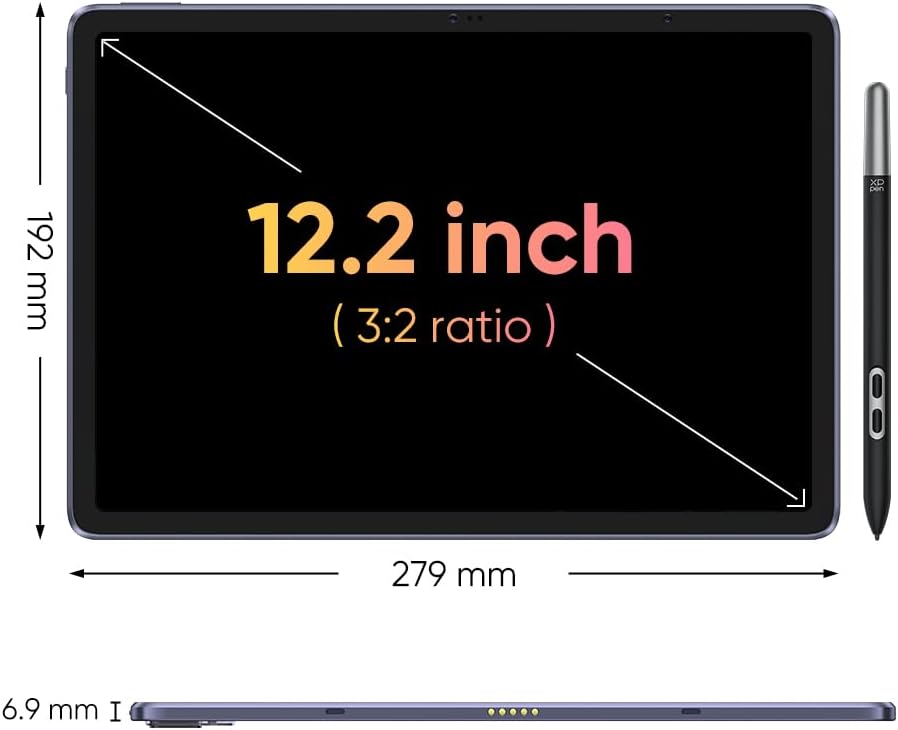
The 12.2-inch display is one of the Magic Drawing Pad’s strongest selling points. It uses an IPS LCD panel with a resolution of 2160×1440 pixels, a 3:2 aspect ratio, and covers 109% of the sRGB color gamut with support for 16.77 million colors. Brightness tops out at 360 nits, which is adequate for indoor use and manageable outdoors in shade.
The 3:2 Aspect Ratio Advantage
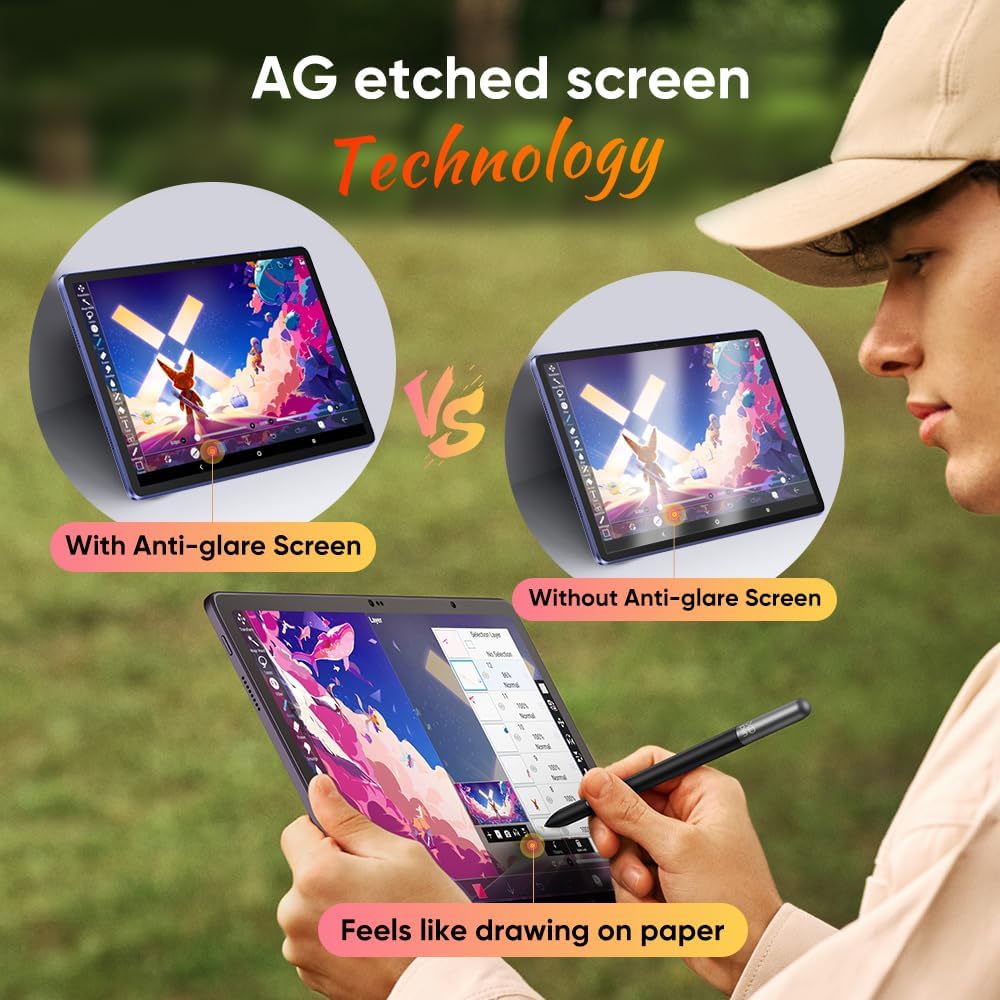
Most tablets use a 16:9 or 16:10 ratio, which feels cramped for drawing. The 3:2 ratio on the Magic Drawing Pad gives you approximately 18.5% more vertical canvas space compared to a standard 16:9 display. That extra room makes a noticeable difference when working on portraits, full-body character designs, or any artwork that requires vertical composition. The display dimensions measure 279mm × 192mm, providing a comfortable active drawing area.
AG Etched Screen Technology
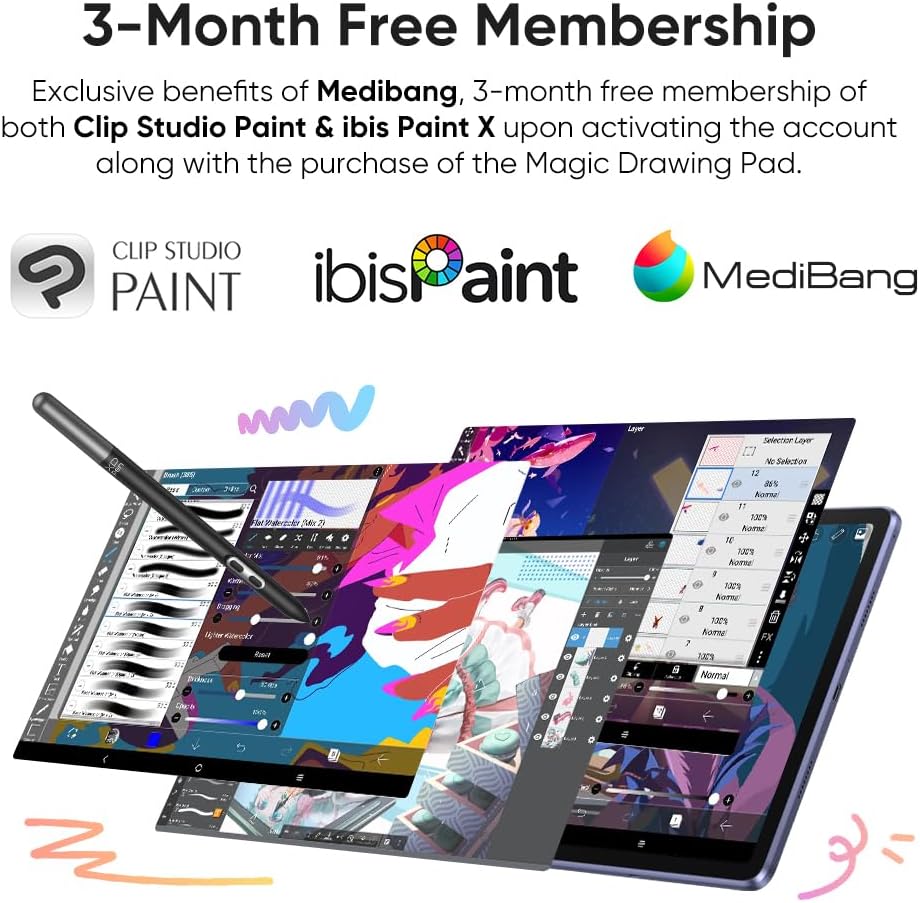
XPPen uses AG (Anti-Glare) etched glass technology on the display surface. This creates a textured feel that mimics drawing on paper rather than slippery glass. It also significantly reduces glare and reflections, making it practical to use near windows or outdoors. The screen carries TÜV Rheinland certification for low blue light emission with 10 levels of adjustable soft light, which is a genuine benefit during extended drawing sessions. The contrast ratio sits at 1200:1 with a 178-degree viewing angle.
Impressed by the display specs?
Check Latest Price on Amazon →
12.2-inch AG etched screen • 109% sRGB • TÜV Rheinland certified
X3 Pro Slim Stylus Performance
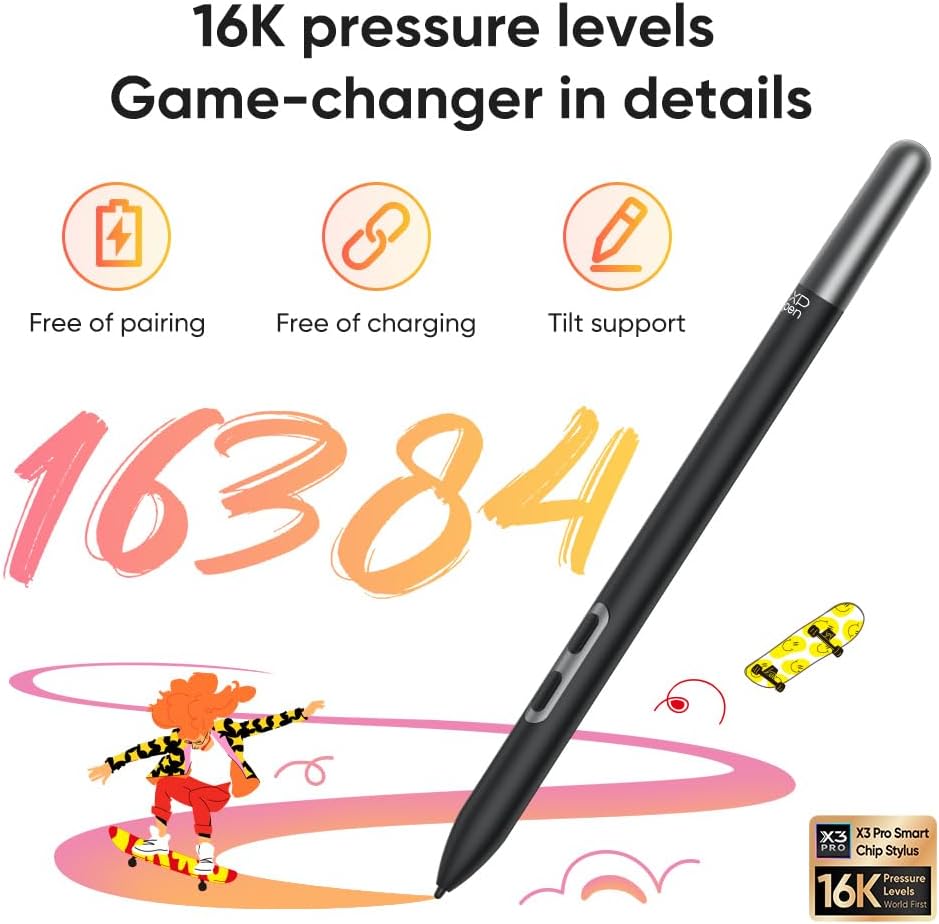
The included X3 Pro Slim Stylus is where XPPen flexes its hardware engineering. This pen uses EMR (Electromagnetic Resonance) technology, which means it requires absolutely no charging and no Bluetooth pairing. You just pick it up and start drawing.
The headline spec is 16,384 pressure levels (16K), which is double what most competing tablets offer and remains the highest in the industry. In practical terms, this means incredibly nuanced control over line thickness, opacity, and brush dynamics. The initial activation force sits at just 3 grams, so the pen registers the lightest touches. The stylus also supports 60-degree tilt recognition, allowing natural shading techniques similar to tilting a physical pencil.
The pen weighs approximately 10 grams and features a 1.68mm super-fine nib with two customizable side buttons. In daily use, the pen tracking feels responsive with minimal lag, and the pressure curve delivers smooth transitions from thin to thick strokes. The battery-free design is a genuine quality-of-life advantage over Apple Pencil and similar Bluetooth styluses that need periodic charging.
One caveat worth noting: while tilt sensitivity works for most drawing apps, some users have reported inconsistent tilt behavior in certain applications. Also, palm rejection, while generally functional, isn’t flawless and occasional unintended touch inputs can occur during intense drawing sessions.
Standalone Drawing Experience with Android 14
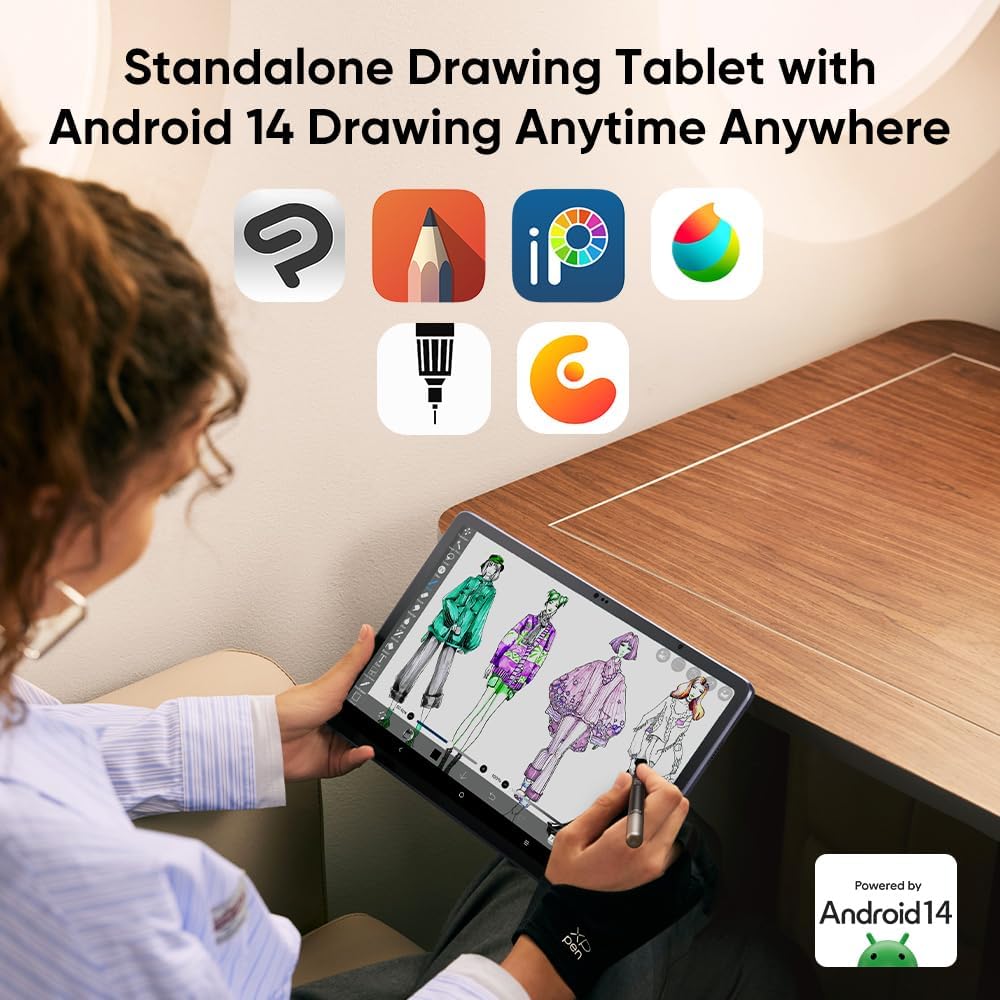
Running Android 14 out of the box, the Magic Drawing Pad functions as a fully independent creative device. It joins our list of the best Android tablets for drawing. The octa-core MediaTek MT8771 processor (2x A76 cores at 2.4GHz + 6x A55 cores at 2.0GHz) paired with 8GB of RAM handles drawing applications smoothly. Storage comes in at 256GB with microSD card expansion up to 512GB.
You get full access to the Google Play Store, which means the entire ecosystem of Android drawing apps is available. The tablet comes with drawing apps pre-installed, and you can download popular options like Krita, Infinite Painter, Autodesk Sketchbook, Concepts, and many others directly from the store.
Free Software Memberships
XPPen sweetens the deal with 3-month free memberships to both Clip Studio Paint and ibis Paint X when you activate your account after purchasing the tablet. You also get exclusive MediBang benefits. Clip Studio Paint alone is a professional-grade illustration tool used by manga artists and illustrators worldwide, so this bundled access adds genuine value — especially for new artists who are still deciding which software suits their workflow.
Want a battery-free stylus with 16K pressure levels?
Check Latest Price on Amazon →
X3 Pro Slim Stylus included in box • No charging ever needed
Design, Build Quality, and Portability
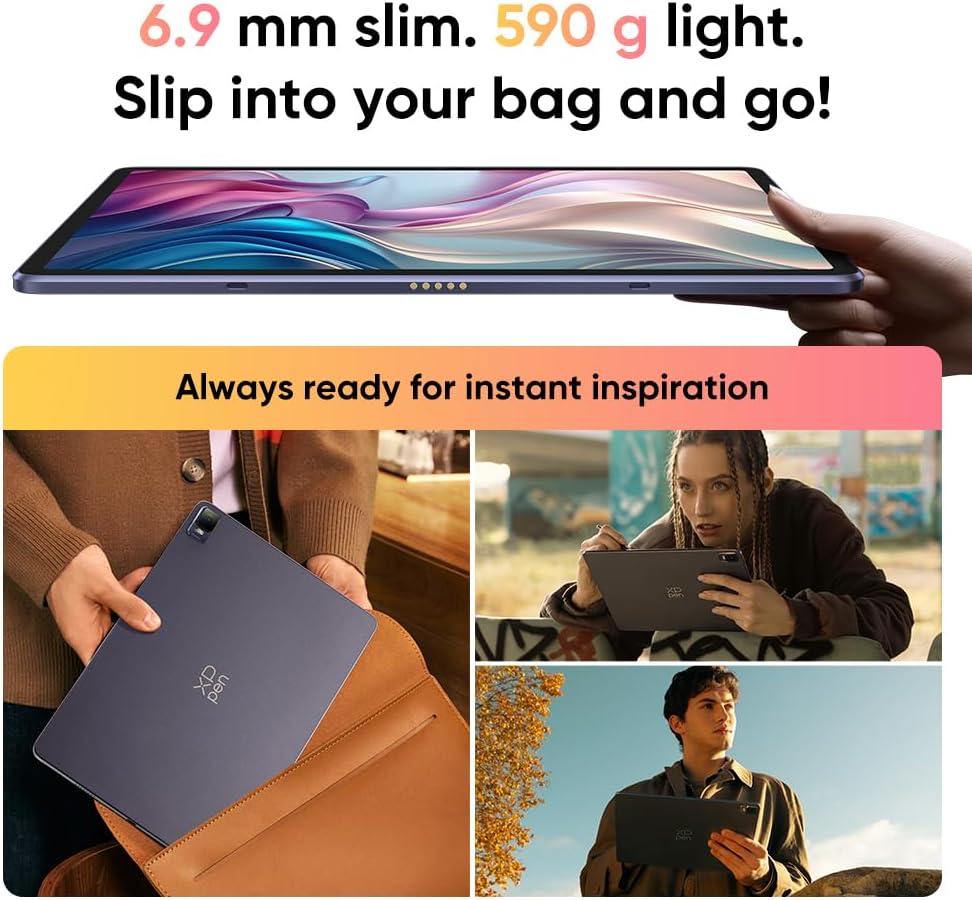
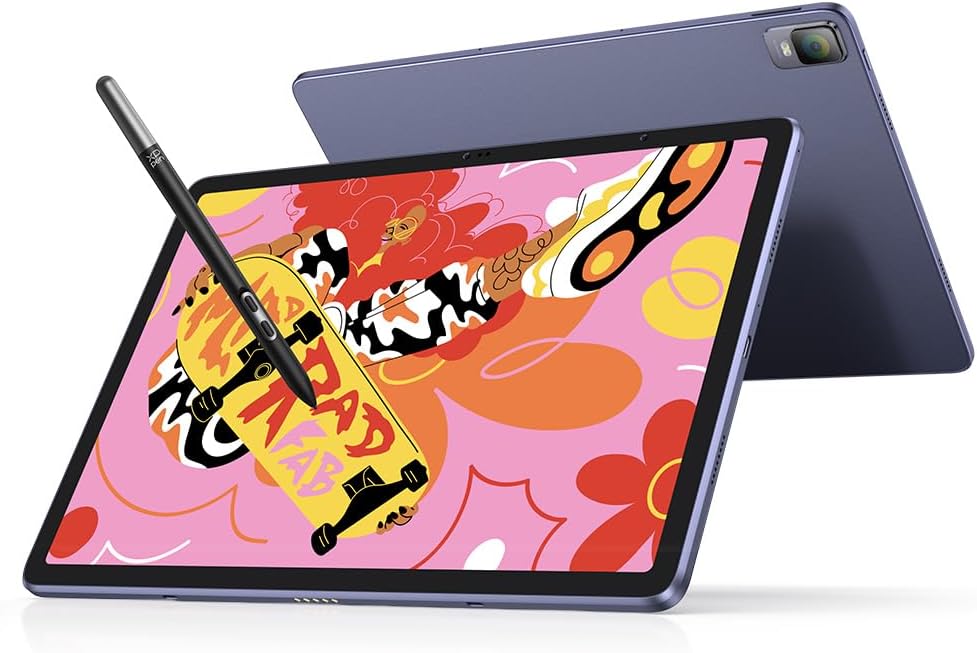
At just 6.9mm thin and 590 grams, the Magic Drawing Pad is remarkably portable for a 12.2-inch tablet — one of the most portable drawing tablets that need no computer. For context, that’s thinner than most smartphones. The build quality feels premium with rounded corners, thin bezels, and a solid aluminum-alloy frame. The overall dimensions are 279mm × 192mm × 6.9mm.
The tablet features a USB-C port for charging (measured at approximately 17W charging speed, taking around 2 hours for a full charge from empty), dual microphones, quad speakers that deliver surprisingly decent stereo audio, and a microSD card slot for expanding storage. There’s also a 13MP rear camera and an 8MP front-facing camera with face unlock. Wi-Fi 5 (802.11ac) and Bluetooth 5.1 handle wireless connectivity.
Battery life is rated at up to 13 hours on the 8,000mAh cell, though real-world drawing use typically yields 8-10 hours depending on screen brightness and app usage. That’s enough for a full day of on-location sketching without worrying about finding an outlet.
Beyond Drawing — Multimedia and Productivity
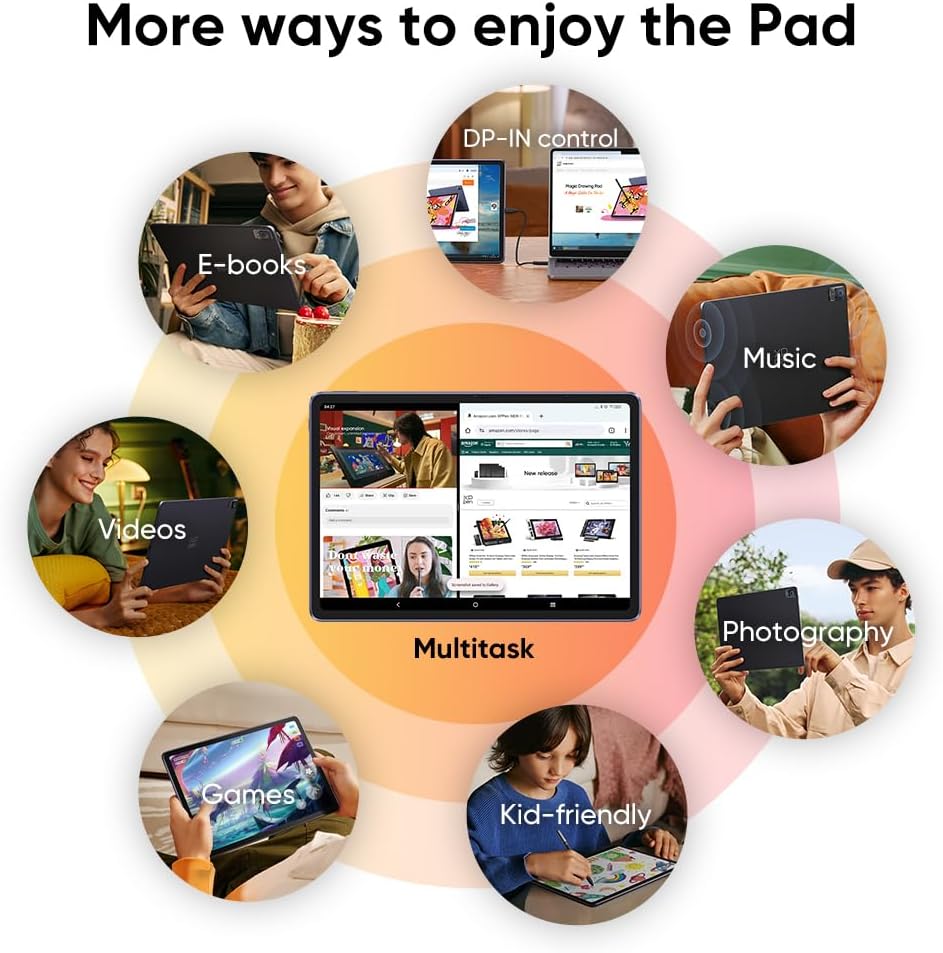
While the Magic Drawing Pad is designed primarily as an art tool, it doubles as a capable Android tablet for everyday tasks. The DP-IN function lets you connect it to a laptop as a secondary pen display — a feature also found on the Huion standalone drawing tablet — a useful feature that bridges the gap between standalone and traditional pen display usage. You can read e-books, watch videos, play games, browse the web, and even use it for note-taking with the pressure-sensitive stylus.
The quad-speaker setup provides better audio than you might expect from a drawing tablet, and the 12.2-inch display at 2K resolution makes media consumption enjoyable. Think of it as a drawing tablet that moonlights as an entertainment device rather than the other way around.
XPPen Magic Drawing Pad Full Specifications
| Display Size | 12.2 inches |
|---|---|
| Resolution | 2160 × 1440 pixels |
| Aspect Ratio | 3:2 |
| Color Gamut | 109% sRGB / 82% Adobe RGB / 77% NTSC |
| Brightness | 360 nits |
| Contrast Ratio | 1200:1 |
| Refresh Rate | 60 Hz |
| Display Type | TFT-LCD (IPS), AG etched + AF coated |
| Viewing Angle | 178° |
| Stylus | X3 Pro Slim Stylus (EMR, battery-free) |
| Pressure Levels | 16,384 (16K) |
| Tilt Support | 60° |
| Initial Activation Force | 3 grams |
| Processor | Octa-core MT8771 (2×A76 2.4GHz + 6×A55 2.0GHz) |
| GPU | ARM Mali-G57 MC2 |
| RAM | 8 GB |
| Storage | 256 GB (expandable to 512GB via microSD) |
| Operating System | Android 14 |
| Battery | 8,000 mAh (up to 13 hours use) |
| Charging | USB-C (~17W, ~2 hours full charge) |
| Wi-Fi | 802.11 a/b/g/n/ac (2.4GHz & 5.8GHz) |
| Bluetooth | 5.1 |
| Cameras | 13MP rear + 8MP front (face unlock) |
| Speakers | Quad speakers |
| Microphones | Dual microphones |
| Dimensions | 279 × 192 × 6.9 mm |
| Weight | 590g (tablet), ~10g (stylus) |
| Included Software | 3-month Clip Studio Paint + ibis Paint X membership, MediBang benefits |
Pros and Cons
👍 What We Like
- Beautiful 12.2-inch display with accurate, vibrant colors
- Industry-leading 16K pressure sensitivity with the X3 Pro stylus
- Completely standalone — no computer required
- AG etched screen genuinely feels like drawing on paper
- Battery-free stylus eliminates charging anxiety
- Excellent portability at 6.9mm thin and 590g
- Generous 256GB storage with microSD expansion
- DP-IN function doubles as a pen display for laptops
- Free 3-month Clip Studio Paint and ibis Paint X memberships
- TÜV Rheinland certified for eye comfort
- Strong 8-13 hour battery life
👎 What Could Be Better
- 60Hz refresh rate feels less fluid than 120Hz iPad Pro
- MediaTek MT8771 is a midrange processor — not for heavy multitasking
- Palm rejection isn’t perfect; occasional unintended touches
- No guaranteed Android OS updates from XPPen
- Tilt sensitivity inconsistent in some apps
- AG matte surface may feel too smooth for some artists
- OS takes up approximately 28GB of storage space
XPPen Magic Drawing Pad vs. Alternatives
How does the Magic Drawing Pad stack up against its closest competitors? Here’s a quick comparison with the most common alternatives artists consider:
| Feature | XPPen Magic Drawing Pad | iPad 10th Gen + Apple Pencil | Samsung Galaxy Tab S9 FE |
|---|---|---|---|
| Display | 12.2″ (2160×1440) | 10.9″ (2360×1640) | 10.9″ (2304×1440) |
| Pressure Levels | 16,384 | ~4,096 estimated | 4,096 |
| Stylus Charging | Battery-free (EMR) | Lightning/USB-C charge | Battery-free (EMR) |
| Storage | 256GB + microSD | 64GB (base model) | 128GB + microSD |
| RAM | 8GB | 4GB | 6GB |
| Matte Screen | Yes (AG etched) | No (glossy, film needed) | No (glossy) |
| Drawing Apps | Android (CSP, ibis, etc.) | iPadOS (Procreate, CSP) | Android (CSP, ibis, etc.) |
| Price (approx.) | $379-$425 | $449 + $99 pencil | $449 + $49 S Pen |
The Magic Drawing Pad wins on value: you get a larger display, higher pressure sensitivity, a battery-free stylus included in the box, more storage, and a factory matte screen — all for less than an iPad with Apple Pencil. The iPad’s advantage lies in its faster processor, Procreate exclusivity, and ecosystem. We cover this matchup in our drawing tablet vs iPad comparison. Samsung’s Tab S9 FE sits in between (see our best Samsung tablet for drawing guide), offering better processing power and a broader app ecosystem but with a smaller screen and fewer pressure levels.
For artists who prioritize the drawing experience above all else — and especially those who don’t want to be locked into Apple’s ecosystem — the Magic Drawing Pad offers the most drawing-focused package in this price range. It’s currently our top pick in the best XP-Pen tablet roundup.
Ready to take your art mobile?
Check Latest Price on Amazon →
Free shipping available • 256GB included • Stylus included in box
Tips for Getting the Most Out of Your Magic Drawing Pad
If you do decide to pick up the Magic Drawing Pad, here are some practical tips based on real-world usage that will help you hit the ground running:
Calibrate immediately. Go to Settings → Advanced Settings → Handwriting Alignment to calibrate the pen. This eliminates cursor offset issues that some users experience out of the box.
Adjust pressure curves per app. Each drawing app handles the 16K pressure levels differently. Spend a few minutes adjusting the pressure curve in your chosen app’s settings to match your natural drawing pressure.
Use the DP-IN feature strategically. When you need more processing power for heavy files, connect the tablet to your laptop via USB-C and use it as a pen display. This gives you the best of both worlds — desktop power with pen-on-screen drawing.
Grab a microSD card. While 256GB is generous, digital art files add up quickly, especially with layered PSD/CSP files. A 256GB microSD card gives you worry-free storage and easy file transfer.
Customize the stylus buttons. The two side buttons on the X3 Pro Slim Stylus are customizable through app settings. Map undo/redo to these buttons and your workflow speed will increase dramatically.
3-month free Clip Studio Paint + ibis Paint X included
Check Latest Price on Amazon →
Over $25 in free software memberships • Android 14 with Google Play Store
Our Verdict
The XPPen Magic Drawing Pad delivers on its promise of a portable, standalone art studio. With industry-leading pen technology, a gorgeous display, and complete independence from a computer, it’s the best value standalone drawing tablet available today.
XPPen Magic Drawing Pad 12.2″ — Our Top Pick for Standalone Drawing
- Best-in-class 16K pressure sensitivity with battery-free stylus
- 12.2-inch paper-like display with AG etched glass
- Complete standalone operation on Android 14
- Includes 3-month Clip Studio Paint + ibis Paint X memberships
- Ultra-portable: 6.9mm thin, 590g light
Frequently Asked Questions
Does the XPPen Magic Drawing Pad need a computer to work?
No. The Magic Drawing Pad runs Android 14 as a fully standalone tablet. You can draw, paint, and create directly on the device without connecting to any computer. However, it also has a DP-IN feature that lets you connect it to a laptop and use it as a traditional pen display if needed.
Can I use Procreate on the XPPen Magic Drawing Pad?
No. Procreate is an iOS/iPadOS exclusive app and is not available on Android devices. However, the Magic Drawing Pad supports excellent alternatives including Clip Studio Paint, ibis Paint X, MediBang Paint, Krita, Infinite Painter, and Autodesk Sketchbook — all available through the Google Play Store.
Does the stylus need to be charged?
No. The X3 Pro Slim Stylus uses EMR (Electromagnetic Resonance) technology, which means it is completely battery-free. There’s no charging required and no Bluetooth pairing needed. Simply pick up the pen and start drawing.
How does the 16,384 pressure levels compare to the Apple Pencil?
Apple does not officially disclose pressure levels for the Apple Pencil, but it is generally estimated at around 4,096 levels. The XPPen X3 Pro stylus offers 4 times more pressure sensitivity, allowing for more nuanced control over line weight, opacity, and brush dynamics — particularly beneficial for detailed illustration and painting work.
Is the screen truly paper-like or does it feel like glass?
The AG (Anti-Glare) etched glass surface creates noticeable texture and friction that genuinely mimics drawing on paper. It’s not as smooth as untreated glass, which most artists prefer. Some artists who like a very rough paper-like feel may still want to add a matte screen protector, but the factory surface works well for most people.
Can I expand the 256GB storage?
Yes. The Magic Drawing Pad includes a microSD card slot that supports expansion up to 512GB. This is particularly useful for storing large illustration files, reference images, and exported artwork.
How long does the battery last while drawing?
XPPen rates the 8,000mAh battery at up to 13 hours. In real-world drawing use with moderate brightness, expect 8-10 hours of continuous creation. Charging via USB-C takes approximately 2 hours from empty to full.
Is the XPPen Magic Drawing Pad worth it over a regular iPad?
For dedicated drawing and illustration, yes — especially on a budget. You get a larger display, higher pressure sensitivity, an included battery-free stylus, built-in matte screen, and more storage for less money than an iPad + Apple Pencil combination. The iPad wins if you need a broader app ecosystem, faster processor, or Procreate specifically.