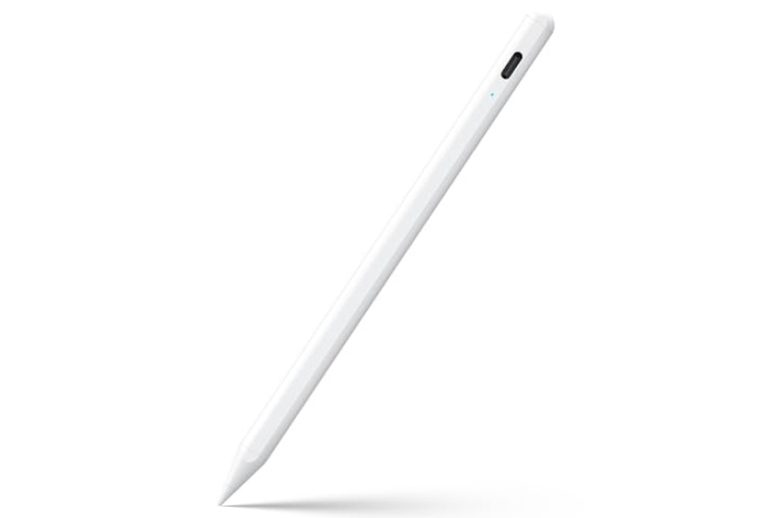
Drawing on an iPad feels natural for some, but finding the right stylus can be frustrating. Maybe you want smooth lines for art, or you just need clear notes for class or work.
There are many stylus options. Some are made for artists, others for everyday writing. Some need charging, others don’t. Compatibility can be tricky—many only work with newer iPads, and not all features work with every model. Even the feel in your hand and how the tip glides matters more than most expect.
Choosing often means weighing price against features like palm rejection, tilt sensitivity, or how often you’ll need to swap the tip. The difference between a budget and a premium option may not be clear until you use it for hours.
This guide will help you sort through the choices and decide what fits your drawing style, device, and budget.
The products below highlight a range of styluses, each with their own strengths. Depending on what you care about—art, note-taking, comfort, or cost—different options may stand out.
Jamjake Stylus Pen For Ipad Drawing
The Best Stylus for Ipad Drawing for artists and note-takers who want smooth, precise control on compatible iPads.

The JAMJAKE Stylus Pen is a digital pen designed specifically for iPad models from 2018 to 2026, offering precise and smooth drawing or writing experiences. It solves the common problem of lag and inaccuracy found in generic styluses by featuring a 1.
5mm pen tip that delivers finer control and palm rejection technology to prevent unwanted screen input.
Using this stylus feels natural and comfortable thanks to its responsive tip and palm rejection, allowing you to rest your hand on the screen without interference. The fast charging feature means you get up to 15 hours of use from a brief 5-20 minute charge, making it reliable for extended creative sessions or note-taking.
- Compatible with a wide range of iPad models from 2018 through 2026
- Palm rejection technology enhances accuracy during drawing or writing
- Fast charging provides long usage time with minimal downtime
- 1.5mm fine tip ensures detailed and smooth input
- Not compatible with devices before 2018 or non-iPad devices
Who Should Consider This Stylus
If you own an iPad from the compatible range and want a stylus that offers precise drawing and palm rejection without pressure sensitivity, this JAMJAKE pen is a solid choice. It’s ideal for digital artists, students, and professionals who value accuracy and ease of use.
However, if you require pressure sensitivity for advanced art techniques or have an older iPad model, this stylus may not meet your needs. The lack of pressure sensitivity and limited device compatibility means it’s best suited for straightforward drawing and writing tasks.
To get the best experience, ensure Bluetooth is enabled on your iPad and consider using a glass screen protector as recommended. This stylus removes the confusion of pairing devices by activating with a simple touch, giving you confidence and convenience from the start.
Metapen A8 Ipad Drawing Stylus
Best Stylus for Ipad Drawing for digital artists, note-takers, and students who want precision and comfort with their Apple devices.

The Metapen A8 iPad Drawing Stylus is designed for those seeking a reliable, precise tool for creative work, note-taking, or everyday use on their iPad. Its metal barrel and advanced chip deliver pixel-level accuracy, making it easy to write small words or draw fine lines without lag—ideal for anyone frustrated by imprecise stylus pens. One standout feature is its super-fast charging: just four minutes gives you two hours of use, so you’re rarely caught without power.
Using this stylus feels comfortable and intuitive, thanks to palm rejection technology—no need for gloves or awkward hand positions while sketching or jotting down notes. The durable tips and sturdy build inspire confidence for both adults and kids, while the easy double-tap power switch and secure magnetic attachment reduce hassle.
I appreciate how it saves time and energy, letting you focus on creativity instead of troubleshooting or charging.
- Strengths:
- Precise 0.1 mm tip for detailed drawing
- Fast USB-C charging (full in 30 minutes)
- Durable metal barrel and tips
- Palm rejection for natural writing
- No Bluetooth or app needed—just double-tap to turn on
- Secure magnetic attachment on supported iPads
- Limitations:
- No pressure sensitivity
- No wireless/magnetic charging
- Magnet not compatible with some iPad models
| Feature | Metapen A8 | Typical Stylus |
|---|---|---|
| Charging Speed | 4 min = 2 hrs use | 30–60 min = 8–10 hrs use |
| Palm Rejection | Yes | Often No |
| Tip Durability | 2X original iPencil | Standard |
Is This Stylus Right For You?
If you want accurate drawing, quick charging, and a robust build without fiddling with Bluetooth or apps, the Metapen A8 is a smart choice. It’s especially good for students, artists, or anyone who needs a stylus that keeps up with busy routines and frequent use.
Families will appreciate its durability and ease of use for kids.
However, if you require pressure sensitivity for advanced art techniques or depend on magnetic charging, this stylus might not fit. For everyday drawing, note-taking, and reliability, it removes guesswork and stress—just double-tap and start working. Keep an extra tip handy for heavy use, and rest assured: your writing and drawing experience will be smooth and frustration-free.
Metapen Pencil A8 For Ipad
The Best Stylus for Ipad Drawing for artists, students, and note-takers seeking reliable, lag-free performance with their compatible iPad.

The Metapen Pencil A8 is a smart stylus designed for iPad users who want precision and efficiency. With its pixel-precise 0. 1 mm tip and instant response, it solves the problem of laggy or imprecise input, making it especially useful for drawing, note-taking, and editing.
Palm rejection means you can rest your hand on the screen naturally, which is a game-changer for comfort.
In real-life use, the Pencil A8 feels as close to a real pen as you can get on an iPad. It charges in just 30 minutes via USB-C, lasts up to 10 hours, and even gives you quick top-ups when you’re in a rush.
I found switching between writing, sketching, and navigating apps completely seamless—no interruptions, no extra steps, just fluid creativity.
- Strengths:
- Lag-free, pixel-level accuracy for detailed drawing
- Full palm rejection—no need for gloves
- Fast charging and long battery life
- Durable, replaceable tips (two extras included)
- Limitations:
- Not compatible with iPads before 2018 or non-Apple devices
- No pressure sensitivity (important for some artists)
Is The Metapen Pencil A8 Right For You?
If you own a compatible iPad and want a stylus that just works—no glitches, no hassle—the Metapen Pencil A8 is a safe choice. It’s ideal for people who rely on their iPad for drawing, digital planning, or taking lots of notes.
If you need pressure sensitivity for advanced art techniques, you might want to look elsewhere, but for most users, this stylus offers a reliable, frustration-free experience.
Always double-check your iPad model before purchasing to avoid compatibility issues. For everyday creative tasks, the A8 removes a lot of tech stress—you can focus on your ideas instead of your tools.
Hatoku Stylus Pen For Ipad
The Best Stylus for Ipad Drawing for students, artists, and professionals who want a reliable, no-fuss tool for creative and everyday tasks.

The HATOKU Stylus Pen for iPad is designed for seamless writing and drawing on a wide range of iPad models (2018–2026), eliminating the hassle of Bluetooth pairing. A standout feature is its 15-minute fast charge via USB-C, which powers up the stylus for up to 10 hours—ideal for long study sessions, meetings, or creative marathons without battery anxiety.
Using this stylus feels natural and frustration-free, thanks to advanced palm rejection and a responsive tip that mimics pen-on-paper precision. Whether you’re jotting notes in class or sketching on the go, the magnetic design means your stylus is always attached and ready, making it a practical companion for any mobile workflow.
- Strengths:
- Ultra-fast charging (15 minutes for 10 hours use)
- No Bluetooth pairing—just turn on and go
- Comfortable, accurate, and palm-rejection enabled
- Compatible with most iPad models from 2018–2026
- Magnetic attachment for easy storage
- Lightweight and portable for everyday carry
- Considerations:
- Only works with supported iPad models (not for iPhone or Android tablets)
Is This The Right Stylus For You?
If you’re tired of styluses that constantly need charging or struggle with finicky Bluetooth connections, the HATOKU Stylus Pen offers a simple, dependable alternative. It’s especially well-suited for iPad users who value plug-and-play convenience and want to focus on their work, not on setup.
Artists, students, and professionals who use supported iPad models will appreciate the precision and comfort during long sessions. However, if you work outside the Apple ecosystem or need advanced shortcut features, you might want to look elsewhere. For everyone else, this stylus removes tech headaches and lets you create or take notes with confidence. Tip: Keep a USB-C cable handy for a quick top-up before busy days—then relax knowing you’ll stay productive.
Bopomofo 2-in-1 Stylus Pen Set
The Best Stylus for Ipad Drawing for artists and students seeking versatile, precise touchscreen control without charging hassles.

The Bopomofo 2-in-1 Stylus Pen Set is a universal touchscreen stylus designed to replace finger input for more precise and sensitive control. It solves the common problem of smudges and imprecise taps on tablets by offering a flexible transparent disc tip that accurately tracks movement, making it ideal for detailed iPad drawing and note-taking.
Using this stylus feels natural and comfortable thanks to its lightweight alloy body and dual tip design that offers two distinct touch experiences. I found it reliable and easy to use anytime, anywhere, without needing batteries or charging, which saves time and ensures it’s always ready for creative work or quick navigation.
- Includes 5 stylus pens in different colors plus replacement rubber and clear nibs for extended use
- Works across multiple devices and operating systems including iPad, Apple, Samsung, and Android tablets
- Lightweight and durable alloy design with anti-aging properties
- Flexible transparent disc tip for high accuracy without disconnected lines
Who Should Consider This Stylus
This set is ideal for iPad artists, students, and professionals who need a reliable, no-fuss stylus that works immediately without charging or pairing. If you want multiple color options and replacement tips included, this provides great value.
However, if you require pressure sensitivity or advanced features like palm rejection, this stylus might not meet those specific needs. Also, some device-specific limitations may apply, so testing compatibility beforehand is recommended.
Choosing this stylus removes confusion about battery life or connectivity issues, letting you focus on your drawing or note-taking. A practical tip is to try both the rubber and disc tips to see which suits your style best. Rest assured, the included replacement nibs ensure long-lasting use without frequent purchases.
Ambervec Universal Stylus Pen 3-pack
Best Stylus for Ipad Drawing for artists and note-takers wanting a reliable, affordable option compatible with multiple devices.

The AmberVec Universal Stylus Pen 3-Pack is a versatile set designed for seamless drawing and note-taking on iPads and other touch screen devices. With its 2-in-1 design—featuring a precision disc tip for drawing and a fibre tip for smooth browsing—it offers an affordable alternative for those who want to skip expensive branded styluses.
The hidden spare tip system ensures you’ll never be caught off guard during creative sessions.
Using these styluses feels effortless, whether you’re sketching, annotating, or scrolling. The transparent disc tip gives you a clear view while working, and the pens are lightweight enough to use for long stretches without fatigue. I found swapping tips quick and straightforward, adding confidence that my workflow won’t be interrupted.
- Strengths:
- Works with virtually all touch screens—iPad, iPhone, Android, Microsoft devices, Chromebooks, and more.
- Includes spare tips hidden in the stylus body for instant replacement.
- Color variety (Blue, Pink, Purple) for easy identification or sharing.
- No battery or Bluetooth pairing required.
- Limitations:
- Not pressure-sensitive—best for basic drawing, notes, and navigation.
- Requires disabling “Only Draw with Apple Pencil” for full compatibility on iPad.
Who Will Benefit Most?
This stylus set is ideal for students, casual artists, and anyone who needs a dependable tool for digital drawing and note-taking across multiple devices. If you dislike constantly charging or pairing expensive styluses, or if you share devices at home or work, AmberVec’s universal compatibility and spare tip system will keep things simple and stress-free.
However, professional illustrators needing advanced features like tilt or pressure sensitivity should look elsewhere. For everyday tasks, this stylus removes the confusion of compatibility and tip replacement. A practical tip: rotate the fibre tip end to access the spare when needed—no tools, no hassle. Rest assured, these pens are easy to use and ready whenever inspiration strikes.
Degge Stylus Pen For Ipad
The Best Stylus for Ipad Drawing for artists, students, and professionals who want a fast-charging, reliable pen for their iPad.

The DEGGE Stylus Pen for iPad is a versatile drawing and note-taking tool designed for seamless compatibility with a wide range of iPad models from 2018 through 2026. It solves the hassle of frequent charging with its standout 15-minute fast charge that provides up to 9 hours of continuous use, meaning your creative flow won’t be interrupted.
In real-life use, the palm rejection feature lets you rest your hand naturally while you sketch or write, so you can focus on creating rather than worrying about accidental marks. The pen feels balanced and comfortable, and the four replaceable nibs ensure you get a consistently smooth experience even with heavy use.
- Pros:
- Fast 15-minute charging for long battery life
- Magnetic attachment for easy storage on your iPad
- Effortless palm rejection for distraction-free drawing
- Includes 4 long-lasting, replaceable nibs
- Wide iPad compatibility (2018–2026 models)
- Cons:
- Not compatible with older iPads (pre-2018 models)
- No Bluetooth features (may be a limitation for some apps)
| Feature | Details |
|---|---|
| Charging Time | 15 minutes for 9 hours use |
| Palm Rejection | Yes |
| Replaceable Nibs | 4 included |
| Compatible iPads | iPad 2018–2026 |
Is This The Right Stylus For You?
If you want a stylus that’s ready to go after a quick charge and works reliably for note-taking, drawing, or daily productivity, the DEGGE Stylus Pen is a hassle-free choice. It’s best for iPad users who value simplicity and want a pen that just works—no Bluetooth setup, no complicated pairing, just double-tap to start.
However, if you own an older iPad or need advanced Bluetooth features, this may not be the right fit. For everyone else, this stylus removes the stress of battery anxiety and random disconnects. Tip: keep the extra nibs handy in your bag so you’re never caught off guard. You can trust this stylus to keep up with your creativity anywhere.
Keepro Stylus Pen For Ipad
The Best Stylus for Ipad Drawing for digital artists and students who need a reliable, pixel-perfect pencil compatible with iPads from 2018 and newer.

The KEEPRO Stylus Pen for iPad is a USB-C rechargeable digital pencil designed specifically for iPads released from 2018 onwards. It solves the hassle of finding a third-party stylus that works seamlessly by offering pixel-perfect tilt sensitivity and quick Bluetooth pairing, making it a straightforward choice for drawing, sketching, and annotating.
In real-life use, this stylus feels natural and precise—almost like a real pencil—thanks to its tilt sensitivity and responsive tip. It’s easy to charge, lasts up to 10 hours, and even includes shortcut functions for undoing actions, so you can focus on your creative process without worrying about interruptions.
- Strengths:
- Compatible with all iPad models from 2018 onwards
- Fast USB-C charging (full charge in 30 minutes)
- Pixel-perfect precision and seamless tilt sensitivity
- Bluetooth shortcut for one-click undo
- Auto power-off to save battery
- Includes 3 extra replaceable tips
- Limitations:
- No pressure sensitivity (not suitable for advanced shading techniques)
- Bluetooth required for shortcut features
Is This Stylus Right For You?
If you want a stress-free stylus for drawing, note-taking, or marking up PDFs on your iPad, the KEEPRO Stylus Pen is a dependable pick. It’s ideal for students, artists, and professionals who want a precise, rechargeable tool without the higher price tag of the Apple Pencil.
However, if you need true pressure sensitivity for advanced digital artwork, you may want to consider other options. For most daily creative tasks, this stylus removes the guesswork—just pair, draw, and recharge with ease. As a practical tip, keep Bluetooth on to access shortcut functions like undo, but know the pen still works great even without Bluetooth.
Hastraith Ipad Stylus Pen
The Best Stylus for iPad Drawing for artists and students seeking precise tilt sensitivity and palm rejection compatibility with iPads from 2018 to 2026.

The Hastraith iPad Stylus Pen is a precision tool designed for digital artists and note-takers using iPads from 2018 to 2026. It solves the common issue of inaccurate lines and accidental screen touches by offering tilt sensitivity that adjusts line thickness naturally and full palm rejection to avoid unintended inputs.
Using this stylus feels smooth and responsive, making drawing or writing on an iPad feel like using a real pen on paper. The ultra-fast 13-minute Type-C charging and over 10 hours of battery life ensure you can work uninterrupted without frequent recharging.
- Wide compatibility with multiple iPad generations and models
- Fast 13-minute charging with long-lasting battery life
- Tilt sensitivity for natural line variation
- Full palm rejection for comfortable drawing
- No Bluetooth required, with easy battery level indicators
Who Should Consider This Stylus
If you use an iPad model from 2018 or later and want a reliable, fast-charging stylus with advanced drawing features like tilt sensitivity and palm rejection, this pen is a solid choice. It suits artists, students, and professionals who rely on precision and uninterrupted workflow.
However, if your device is older than 2018, or if you need stylus compatibility with non-iPad devices like iPhones or Android tablets, this product is not suitable. Also, it requires turning off iPad Bluetooth to avoid interference, which might be inconvenient for some users.
This stylus removes the confusion of compatibility and charging issues by clearly indicating battery status and supporting a wide range of iPad models. A practical tip is to keep the included protective silicone cover on to maintain grip and prevent scratches.
Rest assured, Hastraith offers a 12-month warranty for added peace of mind.
Meko Stylus Pens For Ipad Drawing
Best Stylus for Ipad Drawing for digital artists, students, and anyone seeking a versatile tool for precise input on touchscreen devices.

The MEKO Stylus Pens offer a smart solution for anyone who needs precision and flexibility while drawing, writing, or navigating on their iPad or other touchscreen devices. Its 3-in-1 design combines a transparent disc tip for high accuracy and dual rubber tips for general use, making it suitable for both creative and everyday tasks.
Using this stylus feels natural and intuitive. The transparent disc tip lets you see exactly where you’re drawing, and the rubber tips are gentle on screens, reducing fingerprints and scratches. It’s a tool that simplifies your workflow—no batteries or Bluetooth needed, just pick it up and get to work.
- Strengths:
- Universal compatibility with all touchscreen devices
- Highly sensitive and accurate disc tip improves drawing quality
- Easy tip replacement extends product life
- Comfortable for long sessions—flexible writing angle and soft tips
- Limitations:
- Not pressure-sensitive—may not suit advanced professional artists
- Replacement disc tips must be purchased separately if needed
Is This Stylus Right For You?
If you’re a student, casual artist, or someone who wants a reliable stylus for note-taking, sketching, or browsing, the MEKO Stylus Pens are a practical choice. They eliminate the hassle of pairing or charging, so you can focus on your work.
However, if you need advanced features like pressure sensitivity for professional design, you might want to look elsewhere.
For most users, this stylus removes the stress of compatibility and maintenance. A helpful tip: keep the replacement tips handy for uninterrupted use, and enjoy the peace of mind knowing your device’s screen is safe from scratches. Whether you’re jotting down ideas or making detailed sketches, this stylus keeps things simple and dependable.
How To Decide Which Stylus Fits Your Ipad Drawing Needs
Think about how and where you use your iPad most. Some styluses focus on accuracy and drawing feel, while others are more about simple note-taking or broad device compatibility. If you switch between devices or want a pen for more than just drawing, universal options might matter more.
For those who draw often, comfort and palm rejection often outweigh extra features. Be clear on what actually matters to you before getting lost in the details.
Who Should Rethink Buying A Stylus For Ipad Drawing
- If you expect the same experience as the official Apple Pencil, most third-party options will feel different.
- Those who use older iPads, non-Apple tablets, or phones may find limited compatibility or features.
- Styluses are not ideal for those wanting true pressure sensitivity or advanced shortcut functions unless clearly stated.
- Anyone uncomfortable with regular charging or replacing tips might get frustrated over time.
- If you only need occasional taps or scrolling, a simple universal stylus is enough—no need for advanced models.
Frequently Asked Questions About Finding The Best Stylus For Ipad Drawing
Can Any Stylus Work With All Ipad Models?
No, many styluses are only compatible with iPads from 2018 onward. Always check your exact model before buying.
Is There A Big Difference Between A Universal Stylus And One Made Just For Ipad?
Yes, iPad-specific styluses may offer features like palm rejection and tilt, while universal ones are more basic. The best choice depends on your main use.
Do Third-party Styluses Support Pressure Sensitivity?
Most do not. If pressure sensitivity is important, only a few options or the Apple Pencil will deliver that experience.
Will Palm Rejection Always Work Well?
Palm rejection works best with supported apps and compatible iPads. Results can vary and may not match the Apple Pencil.
Do I Need To Pair The Stylus With Bluetooth Every Time?
Many styluses work without pairing, but some features may require Bluetooth. Read the instructions for your model.
Is Fast Charging Really Important For A Stylus?
It depends on how often you use it. Frequent users may appreciate fast charging, while casual users may not notice the difference.
What If I Want To Use My Stylus On Other Devices?
Look for universal options if you plan to use your stylus with phones or non-Apple tablets. IPad-only styluses may not work elsewhere.
Moving Forward With Your Stylus Choice
The range of styluses for iPad drawing means there’s no single “best”—just the one that fits your habits and expectations. Take your time, match your real needs, and don’t worry about features you’ll never use.
Trust that a thoughtful, honest look at your workflow will guide you to a tool that simply works for you. There’s no rush; clarity is more useful than perfection.