Finding the right drawing tablet can feel overwhelming. You just want something reliable that fits your creative work or studies.
It’s easy to get confused by all the choices. Some tablets come with screens, others don’t. There are budget options and premium models, and the features vary a lot. Price can mean more shortcuts or a better pen, but sometimes you pay for extras you won’t use.
Compatibility with your computer or phone also matters, and not every tablet works everywhere. For artists, students, and anyone starting digital drawing, it’s tough to know which trade-offs are worth it.
This guide will help you sort through what matters so you can pick the refurbished drawing tablet that fits your needs.
What Actually Matters When Choosing A Drawing Tablet?
Think about how you work. If you need portability or use different devices, compatibility and weight matter more than fancy features. If you draw for hours, screen quality and pen comfort can make a big difference. Beginners often benefit from simple setup and clear controls, while experienced users might want more shortcuts or color accuracy.
It’s not always about price—focus on what fits your workflow.
The products below are grouped to cover a range of budgets and features. Each tablet suits different needs, so you’ll find options whether you’re just starting or want more advanced tools.
Xp-pen Artist 12 3rd Gen Drawing Tablet
The Best Refurbished Drawing Tablet for digital artists and students who want a portable, professional-grade device with advanced pen technology.

The XP-Pen Artist 12 3rd Gen is a compact drawing tablet with a vibrant 11. 9-inch screen, designed for creators who want high performance in a portable form. Its X4 pen offers remarkable sensitivity and precision, making detailed sketching or inking effortless—especially if you often work on the go or need reliable accuracy for professional projects.
Using this tablet feels comfortable even during long creative sessions, thanks to its AG etched glass display that mimics paper and reduces eye strain. With customizable dial wheels and keys, you can quickly adjust your tools without breaking your workflow, giving you more time to focus on your art and less time fiddling with settings.
- Strengths:
- Ultra-portable and lightweight
- 16K pressure levels for nuanced drawing
- Paper-feel screen for comfort and accuracy
- Factory-calibrated colors for visual precision
- Universal compatibility with major operating systems and art software
- Limitations:
- Screen size may feel small for multi-layered or complex projects
- Requires external device connection (not standalone)
Who Will Love This Tablet?
This refurbished XP-Pen Artist 12 is ideal for students, illustrators, and graphic designers who value portability and professional features. It helps eliminate the hassle of color calibration and pen lag, so you can focus on creating without technical distractions. If you often work across different platforms or need a reliable drawing tool for both class and freelance gigs, this is a smart choice.
Those who need a larger workspace or a standalone device might want to look elsewhere. For everyone else, a practical tip: take advantage of the customizable keys and dial wheels for faster workflow—these can save you a surprising amount of time. You can feel confident that this tablet has been tested for compatibility and performance, so your creative process stays smooth and stress-free.
Xp-pen Artist 13.3 Pro Drawing Tablet
The Best Refurbished Drawing Tablet for digital artists and graphic designers seeking a reliable, feature-rich display for creative work.

The XP-Pen Artist 13. 3 Pro is a full-laminated graphics drawing tablet with a 13. 3-inch HD screen that connects directly to your computer or laptop. Its tilt function allows you to shade and create natural transitions without constantly adjusting your brush in software, making the drawing experience feel more intuitive and responsive.
In daily use, the vibrant 123% sRGB color accuracy and wide viewing angle bring your artwork to life with rich colors and sharp details. The adjustable stand and customizable shortcut keys streamline your workflow, giving you confidence in every creative session and saving valuable time on repetitive tasks.
- Strengths:
- Exceptional pen pressure sensitivity (16384 levels) for fine detail.
- Red dial and 8 shortcut keys enable efficient workflow customization.
- Wide compatibility with Windows, Mac, Chrome OS, Linux, and major art software.
- Fully-laminated screen reduces glare and improves accuracy.
- Limitations:
- Must be connected to a computer; not a standalone tablet.
- Setup may require attention to cable management.
Who Will Benefit Most
If you are a digital artist, designer, or student looking for a reliable refurbished drawing tablet with a display, this model offers a strong balance of features and usability. Its compatibility with popular creative software and operating systems removes much of the stress around setup and integration.
Those who prefer standalone tablets or need portability without a computer connection may want to skip this option. For everyone else, the XP-Pen Artist 13. 3 Pro simplifies your creative process and lets you focus on your art, not the hardware.
When starting out, keep your workspace tidy and cables organized for the smoothest experience.
Rest assured, this tablet is a proven choice among creators and offers practical features that genuinely make drawing sessions easier and more enjoyable.
Xp-pen Deco 01 V3 Drawing Tablet
The Best Refurbished Drawing Tablet for beginners and casual artists looking for a reliable, pressure-sensitive digital drawing solution.

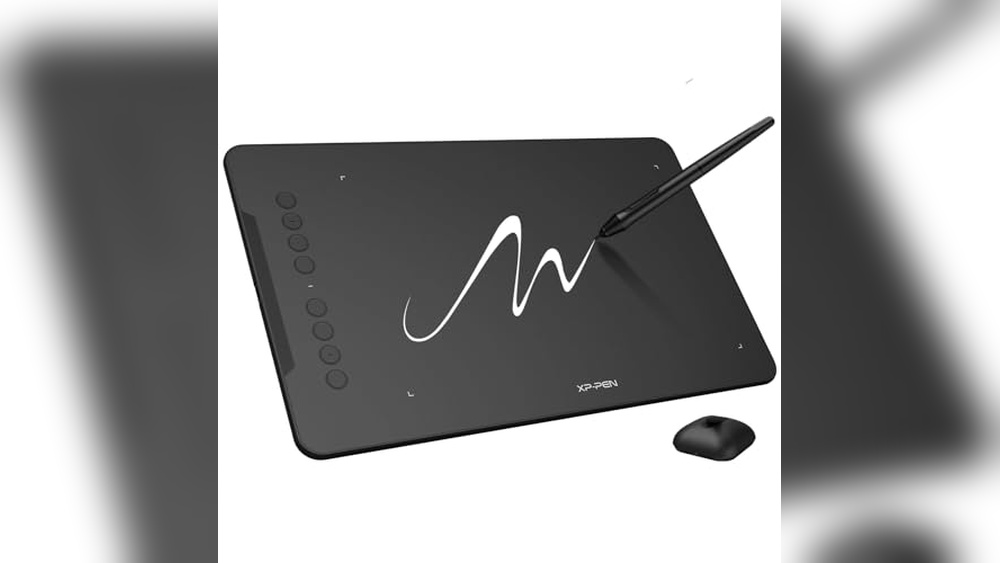
The XP-Pen Deco 01 V3 is a large, battery-free drawing tablet designed to simplify digital art creation for beginners. It solves the common problem of complicated setups by offering easy USB-C connectivity and 16,384 levels of pressure sensitivity, delivering smooth, natural lines that make drawing feel intuitive.
Using this tablet feels comfortable and ergonomic thanks to its 8 customizable shortcut keys designed for both right- and left-handed users. I found it easy to connect with various devices including Android phones, which makes it a versatile tool for digital art, teaching, and gaming without any hassle or delays.
- High Pressure Sensitivity: 16,384 levels provide precise control over strokes and shading.
- Customizable Hotkeys: 8 express keys tailored for user convenience and workflow efficiency.
- Wide Compatibility: Supports Windows, Mac, Android (10+), and Chrome devices.
- Large Drawing Area: 10 x 6.25 inches space for unrestricted creativity.
- Battery-Free Stylus: No charging required, mimics real pen feel.
Who Should Consider The Xp-pen Deco 01 V3
This tablet is ideal for beginner artists, students, and hobbyists who want an affordable, dependable drawing tool without complicated setup or maintenance. It suits those who need portability and compatibility with multiple devices, including Android tablets and smartphones.
If you require advanced features like a screen display or professional-grade software bundles, or if you prefer ultra-compact tablets for travel, you might want to explore other options.
By choosing the Deco 01 V3, you eliminate confusion around connectivity and stylus performance, making your transition to digital art smoother. A practical tip is to customize the hotkeys early to fit your workflow, which can save time and enhance productivity.
Rest assured, this tablet is backed by a trusted brand with consistent quality, so you can focus on your creativity stress-free.
Wacom Intuos Small Drawing Tablet
The Best Refurbished Drawing Tablet for students, hobbyists, and aspiring digital artists who want a reliable, compact option for creative projects.

The Wacom Intuos Small Drawing Tablet is a compact, battery-free graphics pad that brings digital artistry into reach for beginners and pros alike. Its pen-on-paper feel and simple wired setup help eliminate the hassle of charging, making it a dependable companion for drawing, photo editing, or note-taking.
In daily use, the tablet feels natural and responsive, thanks to Wacom’s renowned EMR technology. The four customizable ExpressKeys streamline your workflow, allowing you to focus on creativity rather than clicking around menus or fiddling with complex settings.
- Strengths:
- Works with Windows, Mac, Android, and Chromebook
- Lightweight and portable (under 0.6 pounds)
- Comes with creative software and training access
- No battery required for the pen
- Limitations:
- Small active area may not suit those needing a larger workspace
- Wired connection only (not wireless)
Who Will Love This Tablet?
If you want a straightforward, high-quality entry point into digital drawing or you need a portable, no-fuss tablet for classes and remote work, the Wacom Intuos Small is a solid fit. It’s especially good for students, casual illustrators, or anyone with a smaller desk space.
If you require a large drawing area or need wireless freedom, you might want to consider other models. But for most users, this tablet removes technical barriers and lets you focus on your art or assignments. A practical tip: take advantage of the included training to quickly get comfortable, and rest assured that Wacom’s decades of experience have your back for reliability and support.
Huion Inspiroy H640p Drawing Tablet
As the Best Refurbished Drawing Tablet, this model is ideal for students, hobbyists, and professionals seeking an affordable and portable digital art solution.

The HUION Inspiroy H640P is a compact, reliable drawing tablet designed to make digital art, note-taking, and document signing easier and more intuitive. Its battery-free stylus with 8192 levels of pressure sensitivity provides a natural pen-on-paper feel, making it a solid alternative to using a mouse for creative or office tasks.
With its lightweight build and slim profile, this tablet is easy to carry around, fitting comfortably into backpacks for on-the-go use. The customizable hot keys streamline your workflow, so switching tools or commands feels effortless no matter what app you’re using, giving you more time to focus on creativity or productivity.
- Strengths:
- Excellent pressure sensitivity for natural drawing
- Compact and portable—ideal for travel or small desks
- Works with Mac, Windows, Linux, and Android devices
- Customizable shortcut keys for efficient workflow
- Batteries not required for stylus
- Limitations:
- Does not support iOS devices
- Smaller drawing area may not suit large-format artists
Who Will Appreciate This Tablet?
If you need a dependable, portable drawing tablet for digital art, signatures, notes, or online teaching, the HUION Inspiroy H640P fits right in. Beginners and students will find it easy to set up and use, while experienced artists will benefit from its responsive stylus and customizable keys. However, if you work exclusively on iPads or need a large drawing surface, you may want to consider other options. For most, this tablet removes the hassle of complicated drivers and offers the peace of mind that comes with universal compatibility. A practical tip: set up different shortcut profiles for your favorite apps to speed up your workflow even more.
Huion Kamvas 13 Gen 3 Drawing Tablet
The Best Refurbished Drawing Tablet for digital artists and illustrators seeking a reliable, color-accurate pen display for creative work.

The HUION Kamvas 13 Gen 3 is a compact, full-laminated drawing tablet with a 13. 3-inch screen, designed to help artists, students, and designers achieve natural pen-on-paper drawing accuracy. Its advanced Canvas Glass 2. 0 surface reduces glare and improves precision, making it a strong fit for anyone who needs dependable visual clarity for their work.
Using this tablet feels intuitive and responsive, thanks to 16,384 levels of pen pressure and three customizable pen buttons. The improved color calibration brings reliable consistency to every project, so you can focus on your creativity instead of worrying about color shifts or display limitations.
- Strengths:
- Excellent color accuracy (99% sRGB, Avg. ΔE<1.5)
- Ultra-low parallax and reduced glare
- High pen pressure sensitivity for nuanced strokes
- Factory color calibration included
- Limitations:
- Requires connection to a computer or compatible device (not standalone)
Is This The Right Tablet For You?
If you’re an artist, designer, or student looking for a reliable, refurbished drawing tablet with a top-tier screen, the Kamvas 13 Gen 3 is a thoughtful choice. It removes the stress of color inconsistencies and offers a paper-like feel that makes digital drawing more enjoyable and predictable.
However, if you need a fully standalone tablet, this model won’t fit your workflow.
To get the best results, always connect the Kamvas to a well-calibrated computer and use the included pen settings to streamline your process. If you value accuracy and hands-on control, this tablet is a safe, confidence-boosting pick for your creative toolkit.
Gaomon Pd1161 Drawing Tablet
The Best Refurbished Drawing Tablet for digital artists and designers seeking an affordable, screen-based drawing experience connected to their computer.

The GAOMON PD1161 is a digital art tablet featuring an 11. 6-inch full HD IPS screen designed to be connected to a Mac or Windows PC. It addresses the need for a natural drawing experience by allowing users to sketch directly on the screen, which is enhanced by a matte film that reduces glare and provides a paper-like feel.
Using this tablet feels intuitive and responsive thanks to its battery-free stylus with 8192 pressure levels and tilt support, offering precise control for painting, illustration, and editing. The customizable shortcut keys streamline workflow, making it a reliable tool that helps save time during creative projects.
Key Strengths
- Full HD 11.6″ IPS display with matte film reduces glare for comfortable long sessions
- Battery-free stylus with high pressure sensitivity and tilt function for natural drawing
- Eight programmable shortcut keys plus two pen buttons for efficient workflow
- Accurate and vivid color performance with 72% NTSC (100% sRGB) gamut
Who This Is For
This tablet suits digital artists, graphic designers, and illustrators who want a screen-based drawing device without the need for standalone use, as it requires connection to a computer. It’s ideal for those looking for affordability combined with solid performance and customizable controls.
If you want a fully standalone tablet or prefer a larger screen, this model may not meet those needs. However, it removes the confusion of choosing between screen and non-screen tablets by offering a mid-sized, high-quality display paired with a reliable stylus.
One practical tip: make sure your computer meets the necessary system requirements to ensure smooth operation. You can rest assured that the GAOMON PD1161 provides a dependable drawing experience with minimal setup hassle.
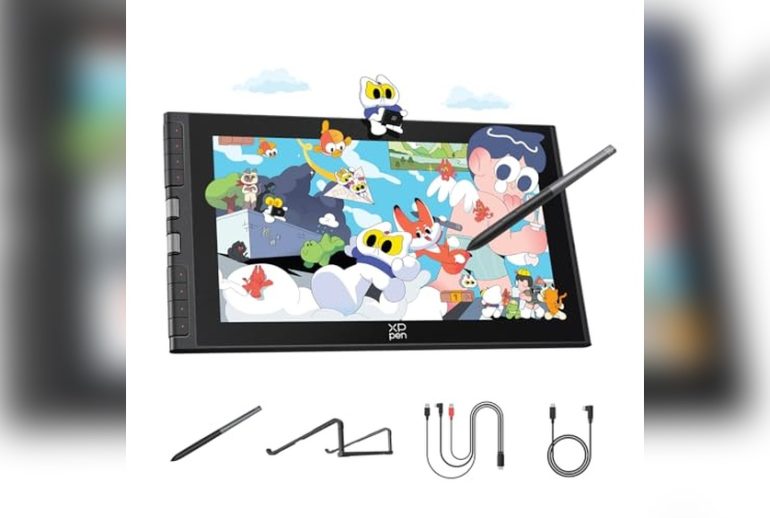
Xp-pen Artist12 11.6″ Drawing Monitor
This Best Refurbished Drawing Tablet is a smart pick for digital artists, students, or remote workers who want a reliable, high-quality pen display without overspending.

The XP-PEN Artist12 11. 6″ Drawing Monitor is a compact pen display that brings a vibrant, full HD screen and natural drawing experience to your digital workspace. It solves the issue of cramped or imprecise drawing surfaces by offering a dedicated 1920×1080 display with 8192 levels of pressure sensitivity, making lines and shading smooth and responsive.
In practical use, setting up the Artist12 is straightforward for anyone familiar with connecting peripherals, and the included battery-free stylus feels comfortable even after hours of work. The anti-reflective screen and customizable shortcut keys help streamline your workflow, which means you can focus more on your art or presentations rather than fiddling with settings or worrying about glare.
- Strengths:
- Excellent compatibility with Windows, Mac, and Linux
- Works seamlessly with all major creative software
- Battery-free stylus with natural grip and built-in eraser
- Pre-installed anti-reflective screen protector
- Customizable shortcut keys and touch bar for workflow efficiency
- Lightweight and portable
- Limitations:
- Must be connected to a computer (not a standalone tablet)
- Requires HDMI and USB-A ports or appropriate adapters
Is This The Right Drawing Tablet For You?
If you want a reliable, affordable pen display for drawing, note-taking, or creative work, the XP-PEN Artist12 is a reassuring choice—especially if you’re comfortable working with a connected computer. It’s ideal for students, hobbyists, and remote professionals who need a precise, color-accurate screen but aren’t looking for a bulky or expensive setup.
Skip this model if you need a standalone tablet or if your device lacks HDMI/USB-A ports and you can’t use adapters. For everyone else, it removes the uncertainty of compatibility and the frustration of laggy styluses. Tip: Register on the XP-PEN site for access to bundled creative software and support, so you can get started with extra peace of mind.
Xppen Magic Standalone Drawing Pad 12.2″
The Best Refurbished Drawing Tablet for digital artists seeking a standalone device that doesn’t require a computer.

The XPPen Magic Standalone Drawing Pad 12. 2″ is a portable graphics tablet designed for artists who want to draw anywhere without needing to connect to a computer. Its standout feature is the X3 Pro slim stylus with 16,384 pressure levels, offering a remarkably precise and natural drawing experience that rivals traditional pen-on-paper feel.
Using this tablet feels intuitive and smooth, especially with its Android 14 system and paper-like AG-etched screen. You can install your favorite drawing apps directly, and the TÜV Rheinland certified display helps keep your eyes comfortable during long creative sessions—making this device easy to trust for daily work or creative sprints.
- Why artists like it:
- No computer required—draw anywhere, anytime
- Exceptionally precise stylus (16K pressure levels, tilt support)
- Large, vibrant 12.2″ screen with eye comfort features
- Generous 8GB RAM + 256GB storage (expandable to 1TB)
- Access to Google Play apps and free Clip Studio Paint & ibis Paint X trial
- Potential drawbacks:
- Heavier than some compact tablets at 1.3 lbs
- Not for those needing desktop-class programs like full Photoshop
| Feature | Details |
|---|---|
| Screen Size | 12.2″ (2160×1440) |
| Pressure Levels | 16,384 (16K) |
| Operating System | Android 14 |
| RAM / Storage | 8GB / 256GB (expandable to 1TB) |
| Color | Purple |
Should You Choose This Refurbished Drawing Tablet?
If you want freedom from your computer and love the idea of creating art wherever inspiration strikes, this XPPen Magic Drawing Pad is made for you. It’s especially helpful for students, hobbyists, or professionals who value portability and a natural pen feel, and who mostly use Android-friendly creative apps.
If your workflow depends on advanced desktop software or you prefer ultra-light tablets, you might want to explore other options. But for most digital artists, this device eliminates the usual stress of setup—no cables, no drivers, just tap and draw. My tip: use the included free memberships to try out different drawing apps and see which fits your style best. Trust that the screen’s eye comfort features will help you work longer sessions with less fatigue.
Huion Kamvas Pro 16 Drawing Tablet
The Best Refurbished Drawing Tablet for digital artists, graphic designers, and students who want a reliable and immersive pen display experience.

The Huion Kamvas Pro 16 is a 15. 6-inch pen display that combines a full-laminated anti-glare screen with advanced pen technology, making it a compelling choice for those seeking a premium drawing experience without the new-product price tag. Its high-quality display shows vibrant colors and crisp details, while the built-in shortcut keys and touch bar help streamline your workflow.
In daily use, the Kamvas Pro 16 feels natural and responsive, with the pen gliding smoothly over the screen’s subtle texture. The adjustable stand helps reduce strain over long sessions, and the customizable buttons mean less time fumbling with menus.
Whether you’re sketching, editing, or annotating, you get a sense of control and comfort that builds confidence in your creative process.
- Strengths: Vivid 120% sRGB color, low-lag battery-free pen, anti-glare glass, programmable shortcuts, works with Windows, Mac, and Linux.
- Considerations: Requires a computer connection; the 15.6-inch size may not suit those needing ultra-portability.
| Feature | Kamvas Pro 16 |
|---|---|
| Display Size | 15.6 inches |
| Color Gamut | 120% sRGB |
| Pen Tech | Battery-free, tilt support |
| Express Keys | 6 + touch bar |
| Weight | 2.98 pounds |
Is This The Right Drawing Tablet For You?
If you want a pen display that balances professional features with user-friendly design, the Kamvas Pro 16 is a great choice—especially for artists, students, and designers who value color accuracy and a smooth drawing experience. It’s less suited to those who need a standalone tablet or ultra-light portability, but for most desktop or studio setups, it removes the guesswork from digital creation.
Set aside a few minutes to customize the shortcut keys for your favorite tools, and you’ll work faster and more intuitively. You can feel confident that with its wide compatibility and reliable build, this tablet will support your creativity for the long haul—without the stress of buyer’s remorse.
How To Choose The Right Drawing Tablet For Your Needs
Consider how you will use the tablet—whether for casual sketching, professional design, or education. Balance portability with screen size and pressure sensitivity based on your workspace and workflow. Think about compatibility with your devices and software to avoid frustration. Prioritize features that match your drawing style over technical specifications alone.
Common Mistakes And Who Should Avoid Buying Drawing Tablets
- Expecting a drawing tablet to work independently without a computer, when many require connection.
- Choosing a large screen tablet without considering portability needs or desk space.
- Buying a tablet with advanced pressure sensitivity if you are a beginner who won’t use those features.
- Overlooking compatibility with your operating system or preferred creative software.
- Assuming all tablets offer the same color accuracy and display quality important for professional work.
Best Refurbished Drawing Tablet: Frequently Asked Questions
Can A Refurbished Drawing Tablet Perform Like A New One?
Refurbished tablets generally function well and may come with warranties. However, check for any signs of wear and confirm the return policy before buying.
Are Refurbished Tablets Compatible With Current Software And Operating Systems?
Many refurbished tablets support modern software, but compatibility varies. Verify the tablet’s system requirements and your computer setup before purchase.
How Do Pressure Sensitivity Levels Affect Drawing Experience?
Higher pressure sensitivity allows for more nuanced strokes, but for beginners, moderate levels are sufficient. Choose based on your skill level and drawing style.
Is It Better To Get A Tablet With A Screen Or Without?
Tablets with screens provide direct drawing feedback but are usually pricier and less portable. Non-screen tablets are lighter and often more affordable.
What Should I Consider About Tablet Size?
Larger tablets offer more drawing space but can be bulky. Smaller tablets suit tight workspaces or on-the-go use but may limit detailed work.
Do All Tablets Work With Android Devices?
No, not all tablets support Android. Check the manufacturer’s compatibility list to ensure your device is supported.
What Common Issues Should I Be Aware Of When Buying Refurbished?
Potential issues include reduced battery life, cosmetic blemishes, or outdated drivers. Buy from reputable sellers to minimize risks.
Final Thoughts On Choosing A Drawing Tablet
Choosing a drawing tablet involves understanding your specific needs and how different features align with your workflow. Taking time to reflect on your priorities will help you find a device that fits your creative habits and environment.
Confident choices come from clarity about trade-offs rather than chasing every specification. Trust your judgment and the knowledge you’ve gained to select a tablet that supports your artistic goals.