Starting digital art feels exciting, but also uncertain. It’s easy to get lost trying to pick the right drawing tablet.
Choosing a Wacom tablet for beginners can be confusing. There are many styles, sizes, and price points. Some models connect to your computer, while others work on their own. Pens vary in comfort and accuracy. You may wonder if you need a screen or if a simple pad is enough.
Budget and premium options both have strengths, but the more features you get, the more setup and learning may be involved.
This article will help you figure out which type fits your creative needs and starting point.
What Actually Matters When Choosing
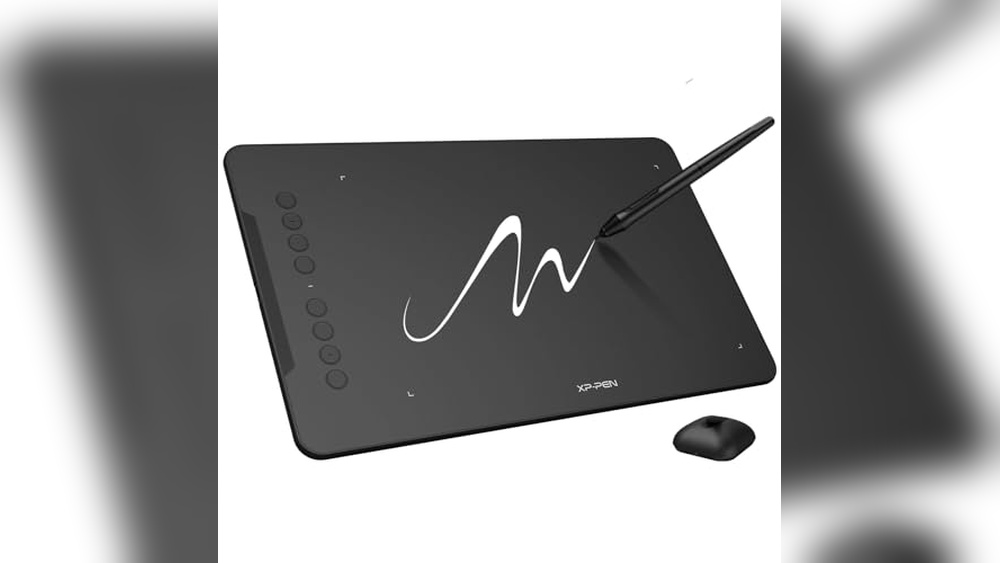
Most beginners focus on price or brand, but it’s worth thinking about how you plan to use your tablet. If portability matters, look for lighter options. If you want a pen that feels close to paper, check the pressure sensitivity and surface texture.
Compatibility with your computer or device is key. Some features sound impressive but may not matter to your workflow.
The products below are grouped to show different approaches—tablets with screens, simple pads, and all-in-one devices. Each suits a different need, so your best choice depends on how you want to create.
Wacom Movinkpad 11 Drawing Tablet
The Best Wacom Tablet for Beginners, perfect for aspiring digital artists and students who want a portable, all-in-one drawing solution.

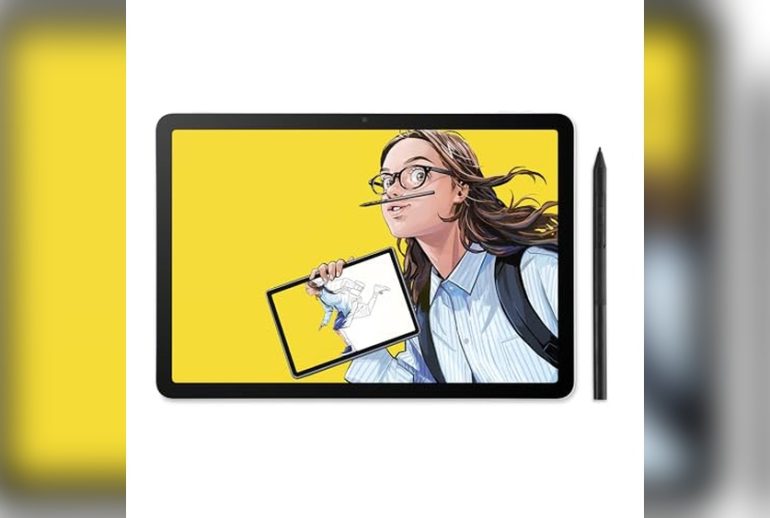
The Wacom MovinkPad 11 is a slim, lightweight Android drawing tablet designed especially for beginners who want a seamless experience without needing a separate computer. With its battery-free Pro Pen 3 and instant “Quick Draw” feature, you can sketch or jot down ideas the moment inspiration strikes.
The anti-glare etched glass gives you a paper-like drawing feel, letting you focus on your art instead of distractions from glare or fingerprints.
In everyday use, this tablet feels as natural as opening a sketchbook—just tap and hold the pen to start drawing. The lightweight build and long battery life make it perfect for carrying to class, the park, or anywhere you like to create.
You don’t need to worry about cables or compatibility issues, making it easy to dive into digital art with confidence and reliability.
- Strengths:
- All-in-one, computer-free operation
- Instant access with “Quick Draw” pen feature
- Natural, matte glass drawing surface reduces glare
- Ultra-portable at just 1.3 lbs
- Includes top creative software for beginners
- Consider:
- 11-inch display may feel small for advanced work
- Runs on Android, not Windows or Mac
Is This Your Ideal Beginner’s Drawing Tablet?
If you want a reliable, grab-and-go tablet that lets you sketch anywhere, the Wacom MovinkPad 11 is a stress-free pick. It’s a great fit for students, hobbyists, or anyone just starting out with digital art who doesn’t want to worry about complicated setups or extra devices.
If you prefer a larger screen or need desktop software, you might consider other options.
This tablet removes the guesswork from getting started—just power on and draw. My tip: Take advantage of the bundled creative apps to find your favorite workflow. And if you’re worried about making mistakes, relax—the responsive pen and smooth workflow make it easy to experiment and learn as you go.
Wacom Intuos Medium Bluetooth Drawing Tablet
The Best Wacom Tablet for Beginners, ideal for students, teachers, and anyone starting their digital art journey.

The Wacom Intuos Medium Bluetooth Drawing Tablet is a wireless device designed to make digital art and note-taking accessible to beginners. Its battery-free EMR pen technology offers a natural pen-on-paper feel, eliminating the frustration of charging or replacing batteries, so you can focus on creativity instead of tech issues.
From sketching and drawing to annotating documents, using this tablet feels smooth and intuitive. Setting it up is straightforward, and its compatibility with Windows, Mac OS, Android, and Chromebook means you don’t have to worry about your computer type. You can work from a desk, couch, or classroom, and the four customizable ExpressKeys help speed up your workflow.
- Strengths:
- Wireless Bluetooth connectivity for flexible use
- Battery-free pen reduces maintenance
- Compatible with all major operating systems
- Medium size provides ample workspace without being bulky
- Includes access to creative software and online training
- Limitations:
- No display screen—requires connection to a computer or tablet
- May feel large if you prefer compact devices
Who Will Benefit Most?
If you’re a beginner looking for a reliable and easy-to-use drawing tablet, this model removes the stress of compatibility and complicated setup. It’s well-suited for students, teachers, and first-time digital artists who want a versatile tool that just works. If you’re seeking a tablet with its own display or a very compact device, you might want to look at smaller models.
One tip: take advantage of the included software and online training to quickly build your confidence. You can trust Wacom’s reputation—this tablet will support your creative progress without overwhelming you with complex features.
Wacom Intuos Small Drawing Tablet
The Best Wacom Tablet for Beginners, perfect for students, hobbyists, and anyone new to digital art or design.

The Wacom Intuos Small Drawing Tablet is a compact, lightweight graphics tablet designed to make digital art approachable for beginners. With its battery-free EMR pen technology, it delivers a natural pen-on-paper feel and eliminates the hassle of charging, so you can focus on creating.
The tablet’s four customizable ExpressKeys make shortcuts easy, making it a smart choice for those starting out with creative projects on Windows, Mac, Chromebook, or Android devices.
Using this tablet feels intuitive and comfortable, even if you’re completely new to digital drawing. It works with any creative software, so you won’t be limited as you learn and experiment. The included training resources and software access help you get started quickly, and the lightweight design means it fits easily into your workspace or bag for on-the-go creation.
- Why beginners love it: Simple setup, no batteries required, and software/training included.
- Drawbacks: The small size may feel limiting for those who want to work on larger canvases.
- Best for: Students, hobbyists, or anyone wanting a portable, affordable entry into digital art or photo editing.
Should You Choose This Tablet?
If you’re just starting out with digital art or need an easy-to-use tablet for occasional creative work, the Wacom Intuos Small is a safe and reliable pick. It removes the stress of setup and compatibility worries, letting you focus on learning and creating from day one.
If you already know you’ll need a larger working area, consider a medium-sized model—but for most new users, this size is just right for desktops and limited spaces.
Take your time exploring the included software and training, and remember: you don’t have to be a professional to get professional results. This tablet is designed to grow with you, offering a frustration-free way to build confidence and skills in digital creativity.
Wacom Intuos Pro Medium Drawing Tablet
The Best Wacom Tablet for Beginners, perfect for aspiring digital artists who want a reliable and versatile drawing experience right out of the box.

The Wacom Intuos Pro Medium Drawing Tablet is a thoughtfully designed graphic tablet that helps newcomers and hobbyists transition into the world of digital illustration. The Pro Pen 3 stylus stands out with 8192 pressure levels and tilt support, meaning you get natural, nuanced strokes that closely mimic traditional drawing tools.
Its medium size offers a generous drawing area without taking up too much desk space, making it a practical choice for most workspaces.
Using this tablet feels smooth and intuitive, whether you’re sketching, editing photos, or working on detailed designs. The wireless Bluetooth connectivity and customizable ExpressKeys make everyday tasks faster and more efficient. If you’re concerned about setup or comfort, the adjustable pen grips and robust build quality ensure that the learning curve is gentle, even for those who’ve never used a tablet before.
- Strengths for Beginners:
- Potential Drawbacks:
Is This The Right Drawing Tablet For You?
If you’re a beginner who wants a tablet that won’t limit your growth, the Wacom Intuos Pro Medium is a safe and future-ready choice. It’s ideal for students, hobbyists, and anyone starting out who values quality tools that can keep up as their skills improve.
On the other hand, if you’re seeking a budget option or want a screen built into the tablet, you may want to explore entry-level alternatives.
Getting started can be intimidating, but this tablet removes the confusion with its intuitive setup and flexible controls. My tip: spend a little time customizing the ExpressKeys for your favorite shortcuts—it’ll make your creative process much smoother. Rest assured, Wacom’s reputation for durability and support means you’re investing in a device that will stay reliable as you grow more confident in digital art.
Wacom Intuos Small Bluetooth Drawing Tablet
The Best Wacom Tablet for Beginners, ideal for students, teachers, and anyone starting their digital art journey.

The Wacom Intuos Small Bluetooth Drawing Tablet is a compact graphics tablet designed for those new to digital art. With its wireless connectivity and battery-free pen technology, it offers a hassle-free introduction to drawing, sketching, and editing on your computer or Chromebook.
The tablet’s four customizable ExpressKeys allow you to personalize shortcuts, making creative tasks easier and faster.
In everyday use, this tablet feels lightweight and portable, fitting easily into a backpack for classroom or home use. Its compatibility with Mac OS, Windows, Android, and Chromebook means you can start creating right away, regardless of your device. Whether you’re annotating documents or practicing your first digital illustrations, it offers reliable performance without overwhelming you with complexity.
- Strengths:
- Wireless Bluetooth and USB connectivity for flexible use
- Battery-free pen feels natural and never needs charging
- Works with all major creative software
- Compact and lightweight for portability
- Includes creative software and online training
- Limitations:
- Small surface area may not suit advanced users
- No screen—requires working with your computer monitor
Is This The Right Starter Tablet?
If you’re a beginner, student, or teacher wanting an affordable entry point into digital art or document markup, this tablet is a sensible choice. It’s simple enough not to overwhelm, yet offers enough features to support creative growth. If you’re seeking a larger drawing area or built-in screen, you might prefer higher-end models.
The Wacom Intuos Small Bluetooth Tablet removes the stress of technical setup and compatibility worries. One tip: try customizing the ExpressKeys to speed up your workflow as you get comfortable. You can feel reassured that Wacom’s reputation means you’re starting with a tool trusted by creative professionals worldwide.
Wacom One 14 Drawing Tablet
The Best Wacom Tablet for Beginners, ideal for aspiring digital artists looking for a reliable and easy-to-use drawing solution.

The Wacom One 14 Drawing Tablet provides a spacious, full HD display with a paper-like texture, giving beginners the room and clarity they need to learn digital art comfortably. Its battery-free pen captures everything from light lines to bold strokes, making it easy for new users to get natural, precise results without the frustration of lag or charging.
In everyday use, this tablet feels intuitive and reliable. The setup is straightforward, and you won’t run into unexpected driver issues or connectivity problems. It’s compatible with both Mac and Windows, and comes bundled with creative software and training, so you can start creating right away and focus on your art—not troubleshooting.
- Strengths: Large, glare-free screen; natural-feeling pen; proven reliability; bundled starter software and training.
- Limitations: Devices requiring HDMI need extra adapter and cable (sold separately); not portable compared to smaller tablets.
Is This Tablet Right For You?
If you’re new to digital art and want a tool that removes technical barriers, the Wacom One 14 is a smart choice. It’s perfect for beginners who want a comfortable drawing surface and easy plug-and-play setup, as well as those who appreciate having creative software included to help them get started.
This tablet isn’t for those who need a highly portable device or already have advanced requirements. For most aspiring artists, however, it eliminates the stress of troubleshooting and lets you focus on learning and creating. Take time to explore the bundled training—it’s a practical resource to build your skills at your own pace.
With Wacom’s reliability, you can feel confident knowing your creative journey won’t be interrupted by tech headaches.
Wacom One Medium Bluetooth Drawing Tablet
The Best Wacom Tablet for Beginners, ideal for aspiring digital artists or students who want a reliable and easy-to-use creative tool.

The Wacom One Medium Bluetooth Drawing Tablet is a straightforward entry point for anyone starting their digital art journey. With a generous 8. 5″ x 5. 3″ active area and a natural pen-on-paper feel, it’s designed to make the transition from traditional drawing to digital as comfortable as possible.
Its included pen, featuring tilt recognition and 4096 levels of pressure sensitivity, helps beginners explore expressive lines and shading with confidence.
In daily use, the Wacom One stands out for its fuss-free setup and compatibility with Windows, Mac, Chromebook, and Android devices. Shortcut buttons on the pen speed up everyday tasks, letting you stay focused on your creativity instead of fumbling with menus.
It’s the kind of tool that quietly supports you, helping you learn and create without adding distractions.
- Strengths:
- Simple setup for multiple devices (Windows, Mac, Chromebook, Android)
- Comfortable, battery-free pen with customizable buttons
- Just the right size for portability and desk use
- Limitations:
- No built-in display—drawings appear on your connected device’s screen
- USB-C connection; some devices may require an adapter
Who Will Appreciate The Wacom One?
If you’re new to digital art, illustration, or note-taking, this tablet is a safe choice. It’s also perfect for students and educators who need a reliable, portable tool that works across different platforms. Anyone who feels overwhelmed by more advanced features or high price tags will find the Wacom One refreshingly accessible.
However, if you require a built-in screen or professional-level specs, you’ll want to look at higher-end models. For most beginners, though, this tablet removes the stress of setup and lets you focus on learning and creating. My tip: Start by customizing the pen shortcuts for your favorite actions—this little step will save you a surprising amount of time and hassle. Rest assured, with Wacom’s reputation behind it, you’re in good hands as you start your creative journey.
Wacom Movink 13.3″ Oled Drawing Tablet
Best Wacom Tablet for Beginners who want a lightweight, portable drawing solution that’s simple to set up and use across multiple devices.

The Wacom Movink 13. 3″ OLED Drawing Tablet is a slim, ultra-lightweight tablet that gives beginners an accessible way to dive into digital art without the bulk and complexity of larger models. With a vibrant OLED touchscreen and a highly sensitive Pro Pen 3, it’s designed to make the transition from paper to digital feel intuitive and natural.
In everyday use, the tablet is easy to carry between home, campus, or the studio thanks to its under-1-pound weight and slim build. Shortcuts and touch navigation help you work faster, while the clear, color-accurate display makes learning and experimenting with digital art less intimidating and more rewarding.
- Ultra-portable: Only 0.925 lbs and 4–6.6mm thin—great for backpacks or small desks.
- Multi-device compatibility: Works with Mac, PC, Chromebook, and Android.
- Customizable workflow: Touch gestures, on-screen shortcuts, and ExpressKeys keep things simple for beginners.
- Beginner-friendly pen: The Pro Pen 3 has extra nibs stored in the pen itself, so you’re always prepared.
Is This The Right Beginner Wacom For You?
If you want a drawing tablet that doesn’t overwhelm with size, setup, or complicated buttons, the Movink 13 is a solid choice. It’s ideal for students, hobbyists, and anyone starting out who values portability and a true drawing-on-screen experience. You’ll avoid a steep learning curve and can use it confidently with whatever computer or device you already have.
If you’re looking for a budget-only option or need a larger screen for professional work, you might want to look elsewhere. But for most beginners, this tablet removes the stress of setup and offers a smooth introduction to digital art. My tip: take advantage of the included software trials to explore different creative apps—there’s no rush, and this tablet is designed to grow with you.
Wacom Movinkpad Pro 14 Android Drawing Tablet
Best Wacom Tablet for Beginners seeking a portable, all-in-one creative studio that’s easy to use and designed for digital art on the go.

The Wacom MovinkPad Pro 14 is a lightweight, portable drawing tablet that combines a vivid 14-inch OLED display with a responsive stylus, all powered by the Android 15 operating system. This all-in-one design means you don’t need a separate computer—making it perfect for beginners who want to start drawing digitally without hassle or extra gear.
Its standout feature is the included Wacom Pro Pen 3, offering 8,192 pressure levels for precise, natural strokes that feel like real pen on paper.
Daily use is smooth and reliable thanks to the Snapdragon processor and 12GB RAM, so you can sketch, paint, or edit photos without lag. Setting up is straightforward, and the included creative apps let you jump right in, whether at home or on the go.
The large, sharp display and pen performance make learning and practicing digital art more enjoyable and less intimidating.
- Strengths:
- Genuine all-in-one: no PC or Mac required
- Ultra-thin and lightweight—easy to carry anywhere
- OLED screen shows vivid colors and deep blacks
- Responsive pen with included extra nibs
- Expandable storage via microSD
- Limitation:
- No support for Windows ARM or Intel Macs (for desktop connection)
Who Will Appreciate This Tablet Most?
If you want a drawing tablet that works right out of the box without a complicated setup, the MovinkPad Pro 14 is a safe choice. Beginners, students, and anyone who values portability will find it freeing to create anywhere with no need for a separate computer.
If you rely on desktop software or own an unsupported computer, you might want to check compatibility first.
This tablet removes the guesswork of choosing extra accessories or worrying about device compatibility. For the smoothest experience, take a few minutes to explore the pre-installed creative apps—they’re beginner-friendly and help you get started faster. Don’t worry if you’re new to digital art; the responsive pen and intuitive interface make the learning curve gentle and frustration-free.
Wacom Intuos Pro Small Drawing Tablet
The Best Wacom Tablet for Beginners, ideal for aspiring digital artists and students looking for a reliable, compact drawing solution.
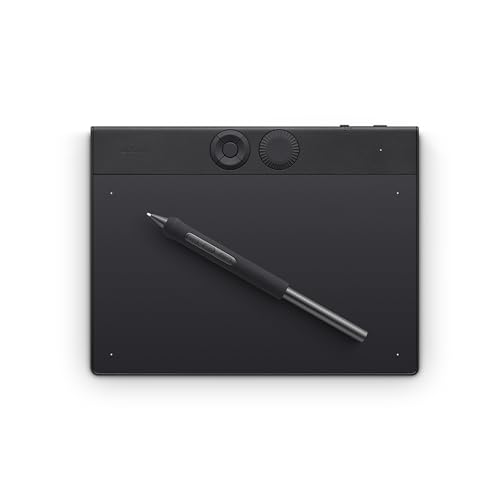
The Wacom Intuos Pro Small is a professional-grade drawing tablet designed for beginners who want a smooth entry into digital art. It addresses the common challenge of finding a reliable, compact tablet that doesn’t overwhelm with complexity. The Pro Pen 3’s 8192 levels of pressure sensitivity and customizable grip make it easy to control strokes, which is especially helpful when you’re just starting to develop your style.
Using this tablet feels natural, almost like drawing on paper, but with the added flexibility of digital tools. The Bluetooth connectivity and lightweight design allow you to move it around your workspace or take it with you, so you’re not tied to one spot.
With the express keys and dial, productivity is within easy reach—no need to break your creative flow.
- Why beginners love it: Compact size fits on any desk; intuitive controls are easy to learn.
- Practical strengths: Precise pen, minimal lag, and a sturdy build that stands up to daily use.
- Possible limitations: The small active area may feel restrictive if you want to work on very large canvases.
Is This The Right Tablet For You?
If you’re just starting out with digital art or graphic design and want a tool that won’t slow you down, this Wacom Intuos Pro Small is a safe bet. It’s especially suited for students, hobbyists, or anyone with limited workspace.
If you know you’ll need a bigger drawing area for large illustrations or multi-monitor setups, consider sizing up in the future.
For most beginners, though, this tablet strikes the right balance between portability, power, and ease of use. Give yourself time to adjust to the pen settings and express keys—personalizing them can make your workflow even smoother. You can relax knowing this tablet is both beginner-friendly and capable of growing with your skills.
Wacom Intuos Pro Large Drawing Tablet
The Best Wacom Tablet for Beginners who want professional features and room to grow with their digital art or design projects.
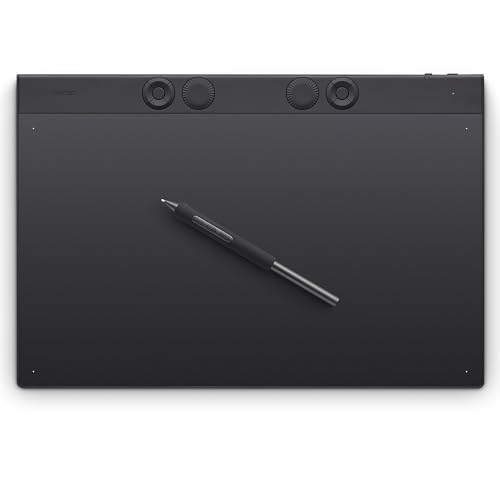
The Wacom Intuos Pro Large is a professional-grade graphic drawing tablet that’s surprisingly suitable for beginners. Its large active area and customizable controls help new artists explore digital drawing without feeling cramped, and the included Pro Pen 3 features 8192 pressure levels and tilt support for natural, responsive input.
In practice, the Intuos Pro Large feels reliable and smooth, with a pen-on-paper sensation that makes adapting from traditional sketching easier. The wireless Bluetooth connection is seamless, and the tablet’s extra ExpressKeys make it simple to personalize shortcuts, saving time and keeping focus on creativity instead of hunting for tools.
- What stands out:
- Professional pen technology with adjustable grip and button layout
- Large, modern format is ideal for dual monitors or wide screens
- 10 ExpressKeys plus 2 dials for fast workflow tweaks
- Ultra-thin but sturdy design — portable, yet spacious
Consider: While the size is excellent for workspace freedom, it may be more than needed if you have a very small desk or work mostly on the go. The Pro features are best appreciated if you plan to stick with digital art for the long term.
Is This The Right Beginner’s Wacom For You?
If you want a tablet that won’t limit your growth and will serve well as your skills progress, the Intuos Pro Large is a confident choice. Beginners who value workspace, precision, and future-proofing will appreciate its flexibility and high-end feel—while still enjoying an approachable learning curve.
However, if space is tight or you’re looking for something ultra-compact to carry daily, a smaller model might be a better fit. For most aspiring digital artists, though, this tablet removes the stress of “outgrowing” your first device and lets you focus on learning, experimenting, and creating. My tip: take some time to customize the ExpressKeys early on—your workflow will thank you!
Wacom One Bluetooth Drawing Tablet (small)
The Best Wacom Tablet for Beginners, ideal for students, hobbyists, or anyone just starting out in digital art and design.

The Wacom One Bluetooth Drawing Tablet (Small) is a compact, entry-level graphics tablet designed for beginners looking to explore digital art, photo editing, or note-taking. Its intuitive pen-on-paper feel and portable size make it a practical solution for those who want to start drawing or designing digitally without feeling overwhelmed.
The included Wacom One Pen, featuring natural tilt and 4096 pressure levels, makes precise sketching and editing approachable for first-time users.
Using this tablet feels effortless, whether you’re sketching ideas, annotating documents, or editing photos. It connects easily to most devices, including Windows, Mac, Chromebook, and Android, so you can get started without worrying about compatibility. The customizable pen shortcut buttons help streamline repetitive actions, letting you stay focused on your creative flow.
- Strengths:
- Lightweight and easy to carry
- Works with multiple platforms (Windows, Mac, Chromebook, Android)
- Battery-free pen with tilt and pressure sensitivity
- Simple setup, ideal for beginners
- Limitations:
- Small active area may not suit advanced artists
- Requires USB-C connection; some devices may need an adapter
Who Is This Tablet Right For?
If you’re just starting out with digital drawing or want a reliable tool for everyday creative tasks, the Wacom One Bluetooth Drawing Tablet is a safe bet. It’s especially suited for students, casual artists, and anyone who prefers a straightforward setup.
Those seeking a larger workspace or advanced features might look at bigger tablets, but for learning and basic projects, this model keeps things simple and stress-free.
One tip: keep the quick start guide handy—setup is smooth, but having it nearby speeds up installation and helps you customize the pen shortcuts. Rest assured, the tablet’s compact design and compatibility mean you won’t waste time troubleshooting; you can focus on learning and creating at your own pace.
How To Decide Which Wacom Tablet Suits Your Workflow
Think about where and how you plan to use your tablet—portability, connection needs, and drawing style matter more than specs. Consider whether you want a screen or prefer working on a separate device. Wireless features and software compatibility can influence daily comfort.
Choose a size that fits both your workspace and your creative needs. There is no single “best” model; it depends on what feels natural to you.
Common Pitfalls And Who Should Consider Other Options
- Assuming every tablet works with all computers or mobile devices—compatibility varies.
- Expecting a screen on every model; not all Wacom tablets include a display.
- Buying a large tablet for travel without considering portability.
- Overlooking software access and updates, especially for beginners.
- Choosing pro-level features when simple tools would work better for your needs.
Frequently Asked Questions: Best Wacom Tablet For Beginners And Common Concerns
Which Wacom Tablet Is Easiest For Beginners?
Most new users find small and medium models without screens simplest to start with. They offer a gentle learning curve and cost less.
Do I Need A Tablet With A Screen To Draw Well?
No, many artists prefer tablets without screens for ergonomics and control. Choose based on your comfort and workflow.
Will My Tablet Work With All Art Software?
Most Wacom tablets support popular programs, but check compatibility for your main software before deciding. Some features may require extra setup.
Can I Use A Wacom Tablet With My Chromebook Or Android Device?
Some models support Chromebook and Android, but not all. Review model details to be sure your device is included.
What Size Tablet Is Best For Limited Desk Space?
Small or medium sizes fit most desks and are easier to store. Larger tablets need more room but offer a bigger drawing area.
Is There A Big Difference Between Wired And Wireless Tablets?
Wireless tablets add convenience for mobility and clutter, but wired models can be simpler and more reliable for some setups.
Are Advanced Pens Necessary For Beginners?
Basic pens are accurate enough for most new users. Advanced pen features help only if you need high sensitivity or professional workflows.
Settling On The Right Wacom Tablet For Your Creative Needs
Choosing a Wacom tablet is about matching your creative habits with the right balance of features, size, and compatibility. There is no perfect answer—just what feels comfortable for your routine and fits your technical setup.
Trust your preferences and take your time as you weigh options. The right tablet will support your learning and creative growth. Your decision is valid, and you can move forward with clarity.